Centralized Settings
A fragile file-based settings workflow was blocking Docker Desktop’s enterprise rollout. I designed the cloud-based policy system that replaced it.
Challenge
When enterprise customers roll out Docker Desktop, IT admins need to lock down certain settings for security and compliance. At the time, the only way to do that was to manually create a JSON configuration file, package it into an MDM script, and push it to every machine.
Internal research showed that this workflow created several problems:
• Vulnerable to tampering: Developers with admin rights could modify the JSON file, potentially changing enforced privileges. Re-deploying the policy repeatedly to counter that was not realistic.
• High maintenance: IT admins had to manually update, package, and deploy configuration files across devices, creating significant operational overhead.
• Difficult to deploy selectively: The setup made it hard to apply settings only to users who needed them, which made broader deployment riskier.
• Complex to implement: The process relied on OS-specific requirements and inconsistent setup guidance, making it difficult and error-prone.
The business impact was clear: this setup slowed enterprise enablement and blocked broader adoption of Docker Desktop. The user problem was equally clear: admins were trying to manage policies for people, but the tooling forced them to manage configuration files on machines.
The project also had additional constraints:
• limited engineering resources
• strict MVP scope
• tight delivery timelines for enterprise enablement
• release coordination tied to required Docker Desktop versions
• design system limitations due to missing components
MVP Scope
Centralized Configuration Management
• Deploy configuration changes across multiple instances without relying on MDM.
• Use cloud-based management for organizational policies, eliminating direct file manipulation.
• Enable granular testing and deployment of policies before a global rollout, supporting multi-organization environments.
• Allow flexibility to override or retain existing local policies.
• Support seamless migration of existing settings to the cloud.
Enforcement of Mandatory Settings
• Define and enforce non-editable admin settings to maintain compliance with company policies.
• Implement basic anti-tampering measures to protect configurations.
Success Metrics
Private Early Access Program:
• 3–5 Docker Partners adopt Centralized Settings within 3 months of private release.
• Measured by the deployment of either a global policy or a user policy to more than 5–10% of their members.
Process
I started by mapping the existing admin-settings.json workflow and talking to solutions engineers who worked directly with customers during deployment. That helped clarify how this problem needed to be framed.
In parallel, the team aligned on three parts of the system to support:
• Cloud API: deploy configurations triggered through the admin portal GUI, ensuring policies reached users’ Docker Desktop instances
• Docker Desktop configuration: enforce and apply settings based on policies defined in the admin portal
• Web GUI: provide the admin interface for creating, managing, and deploying configurations
Settings
I researched existing products with similar workflows to identify familiar patterns. I also worked with the Desktop Stability team to map Docker Desktop’s configurable settings into the new web GUI.
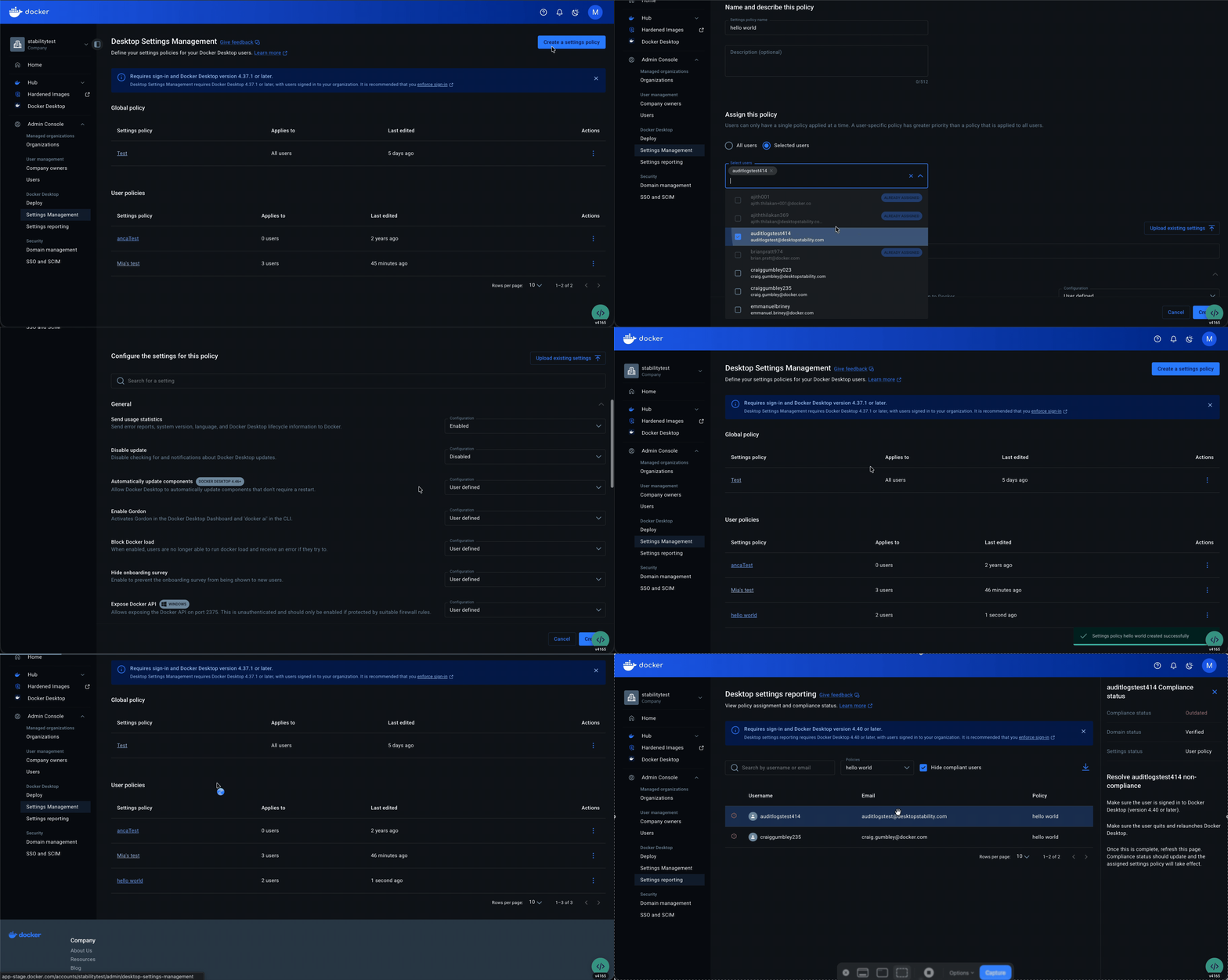
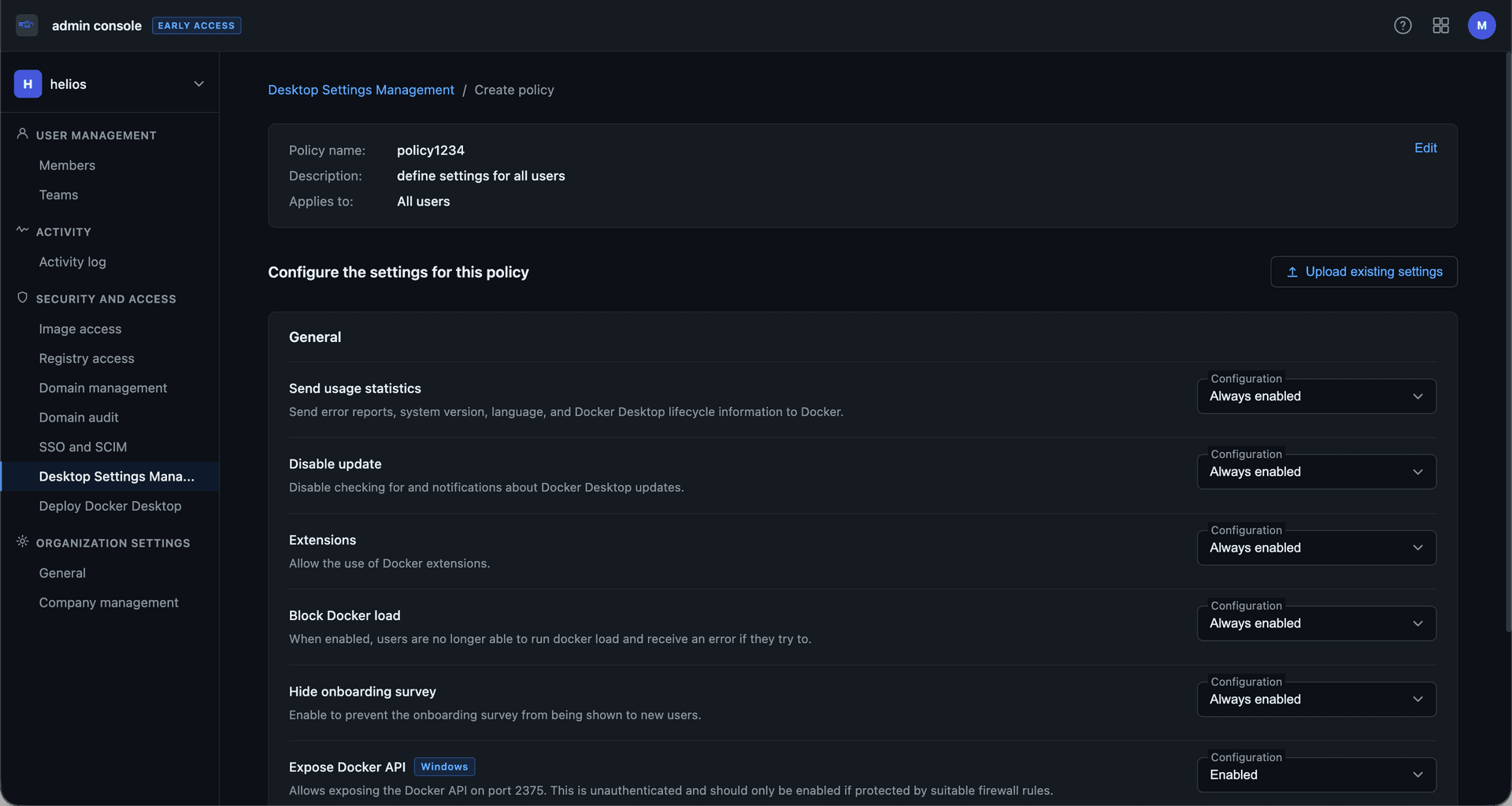
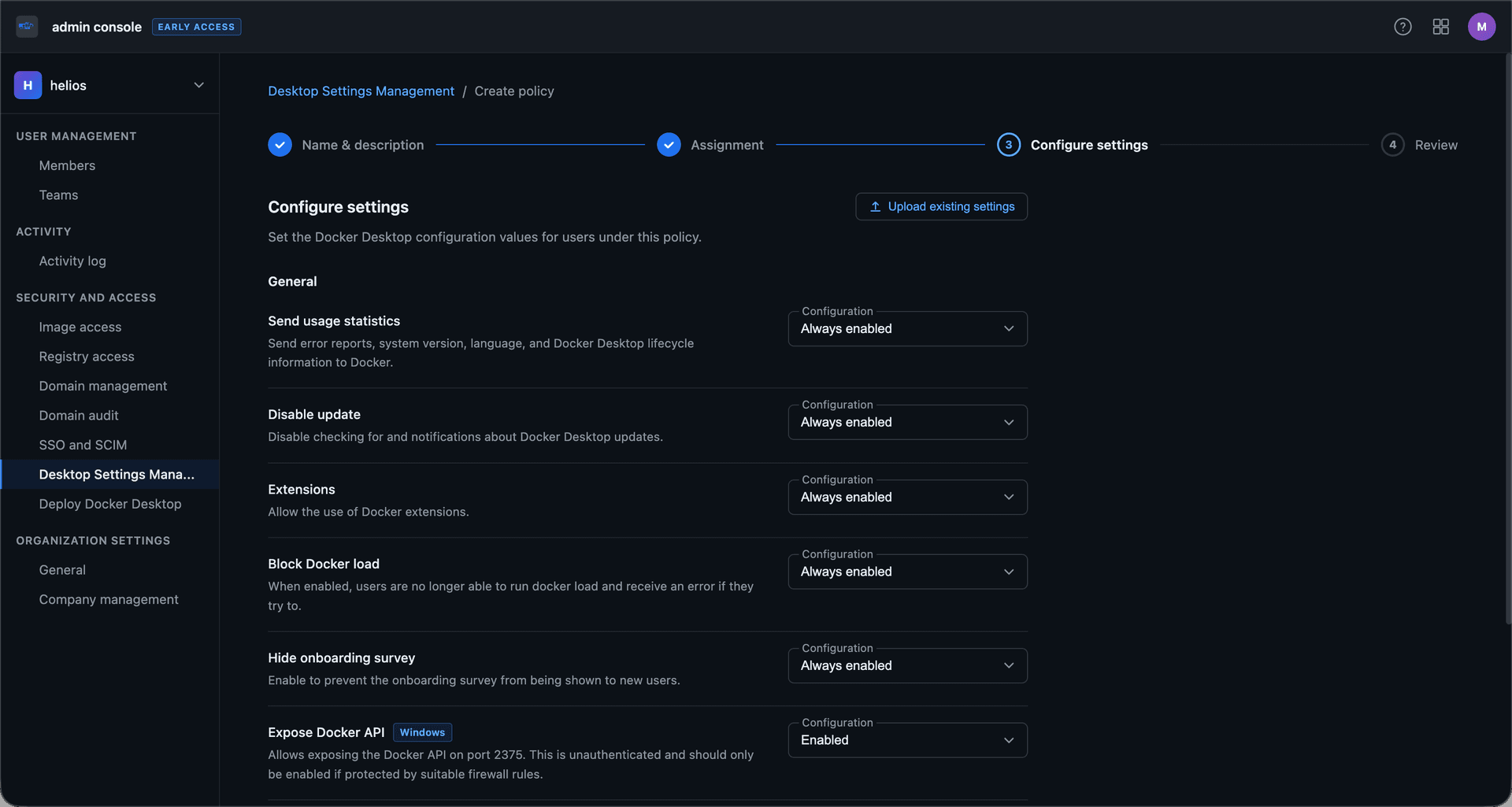
The MVP scope shaped my early explorations. For policy creation, I looked at several interaction models, including a form-based flow, stepped process, accordions, multi-step wizard, and flat layout. More guided patterns made setup easier to follow, but added friction for admins making frequent edits. Flatter patterns were easier to scan, but made the experience feel heavier and less structured.
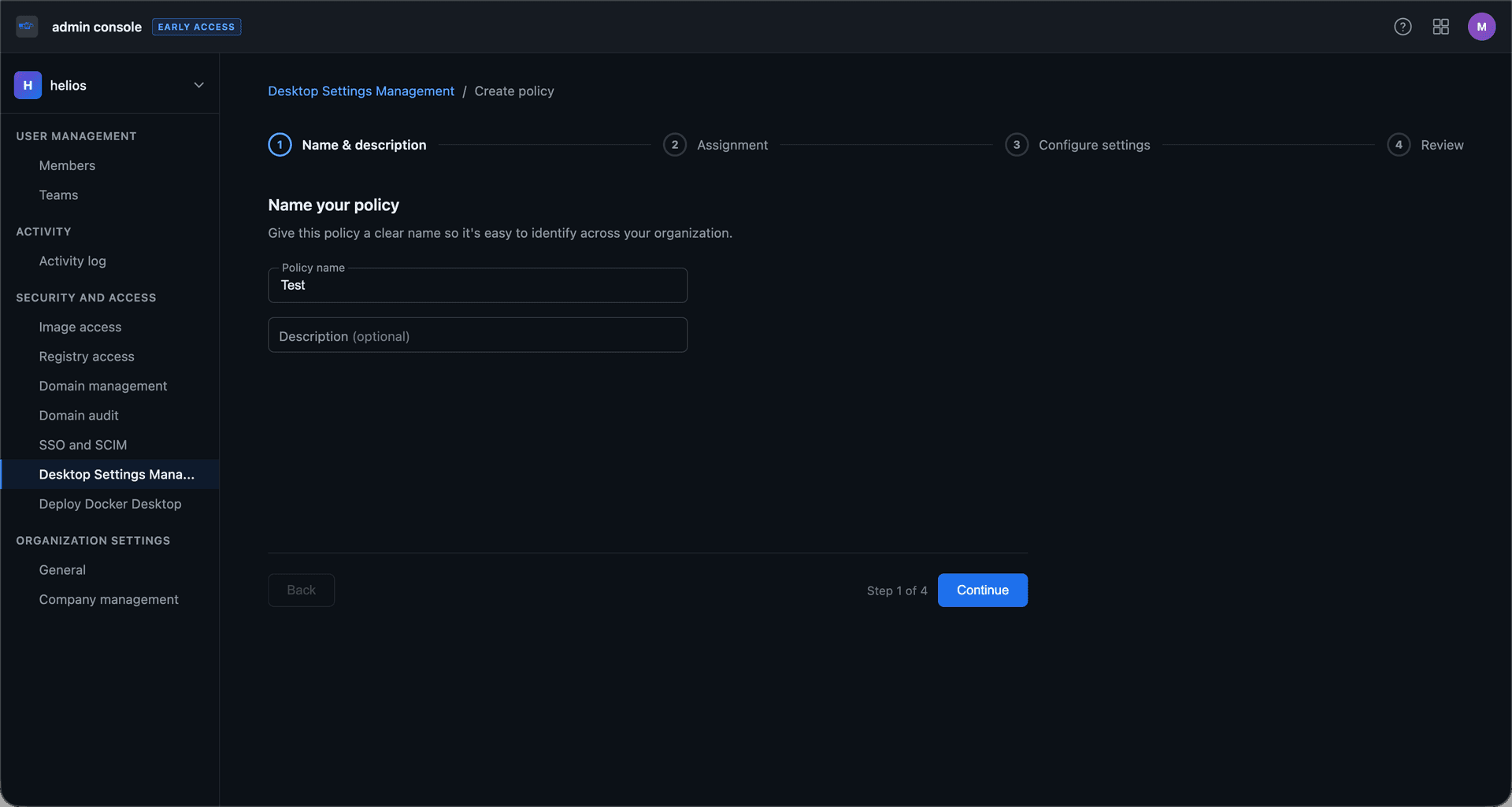
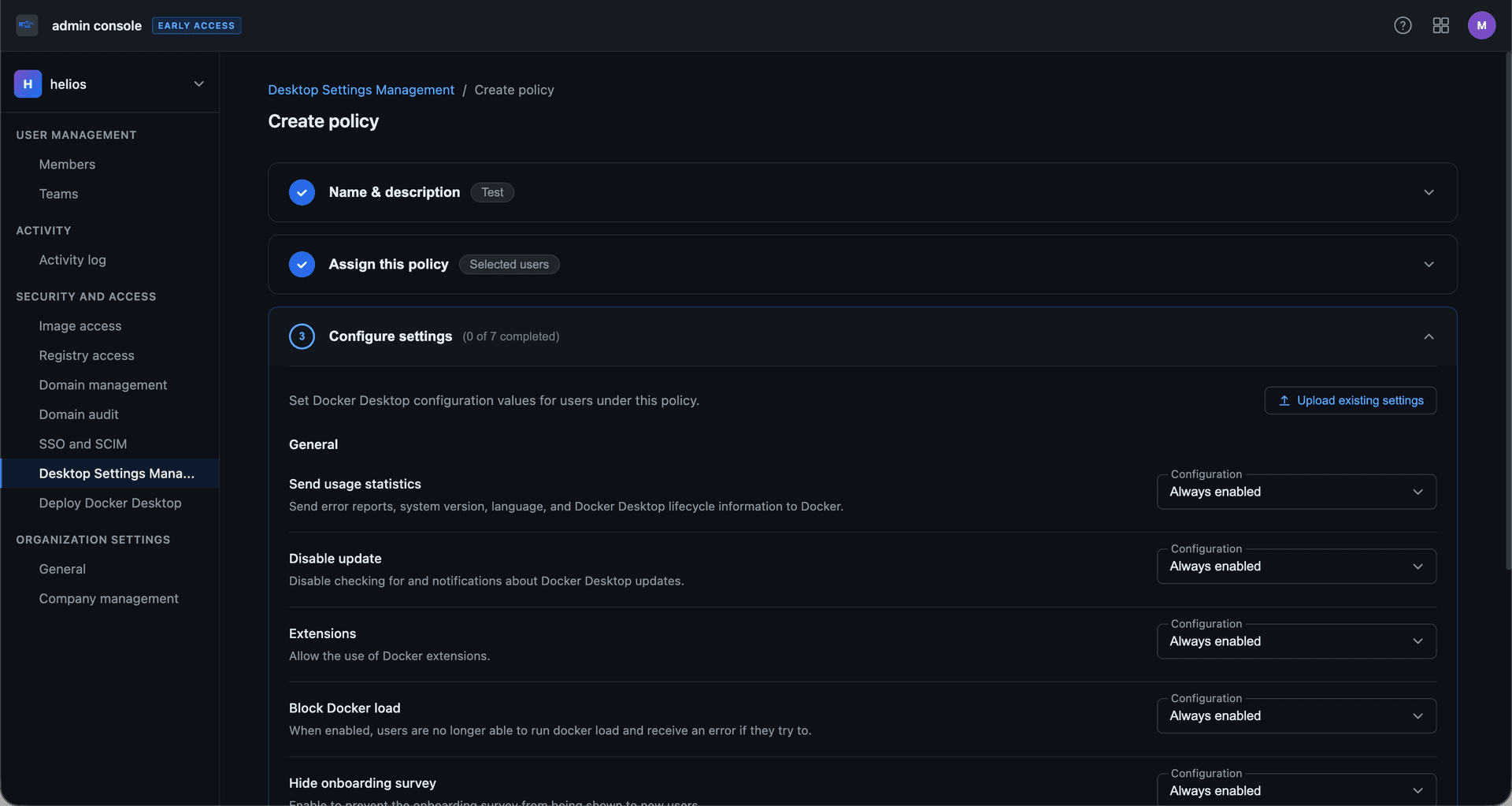
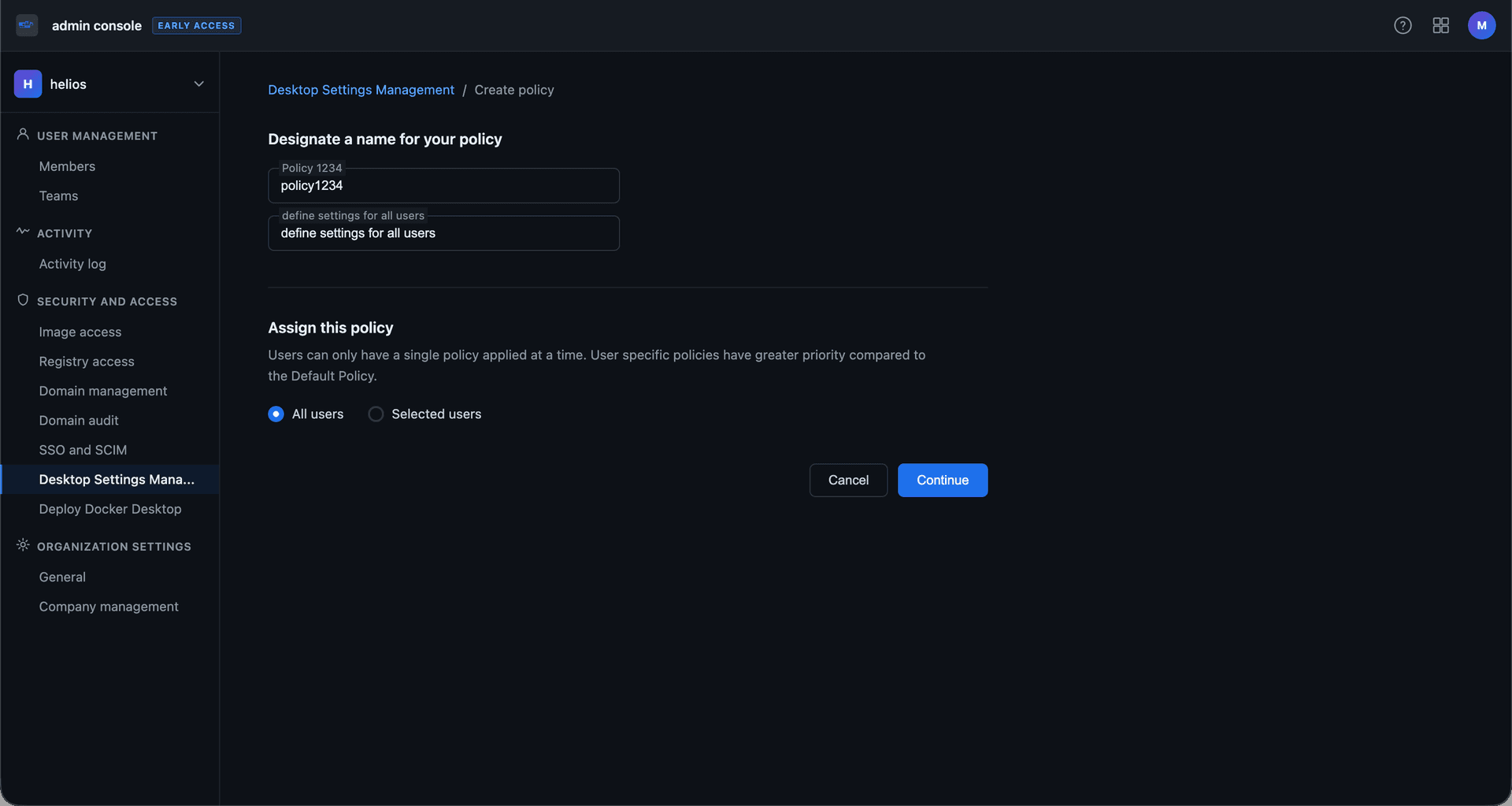
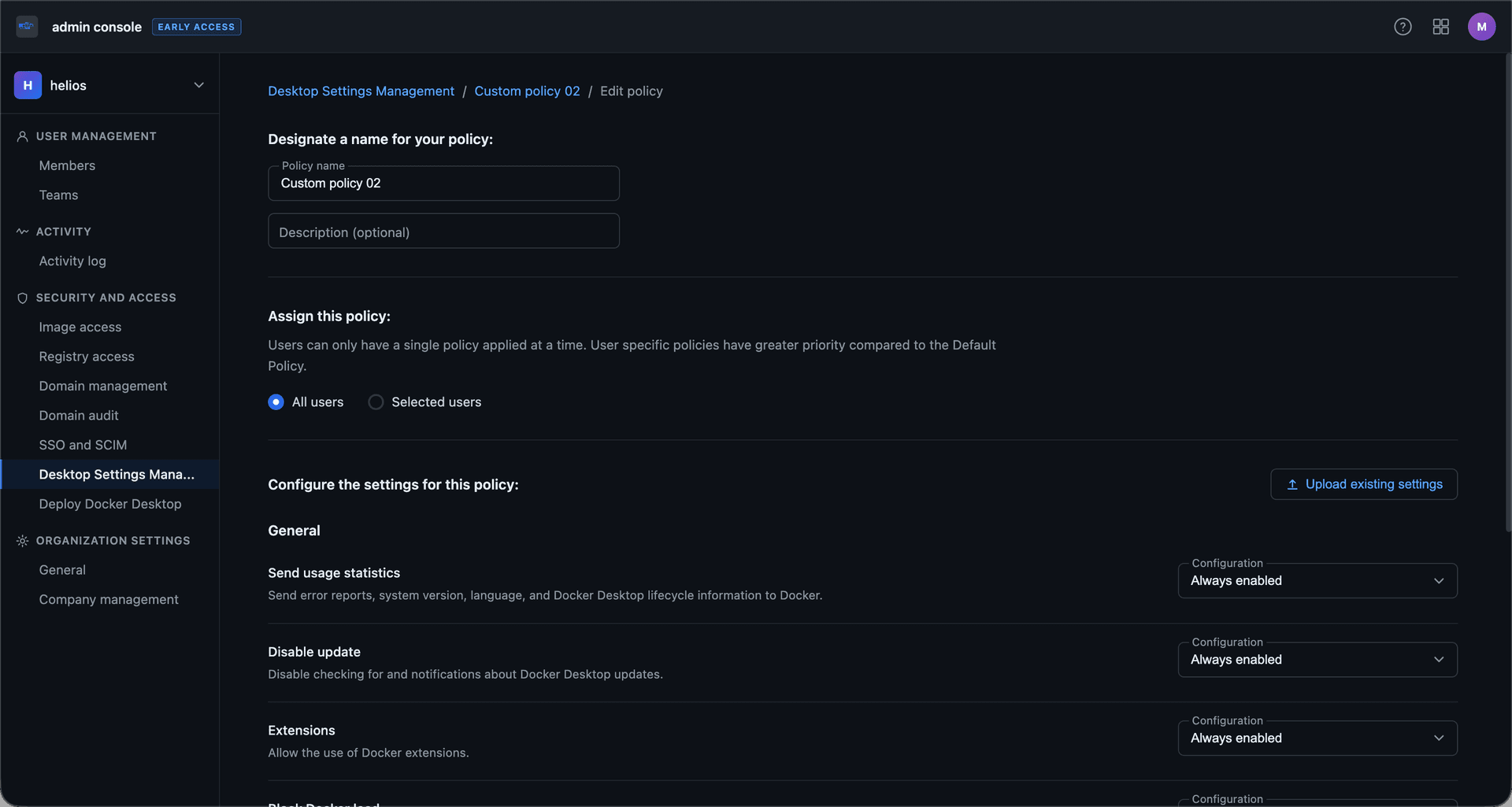
As for the all policies view, I considered cards and a grid-based combined view. The main tradeoff there was between making policy hierarchy easy to understand and keeping enough information visible for quick comparison.
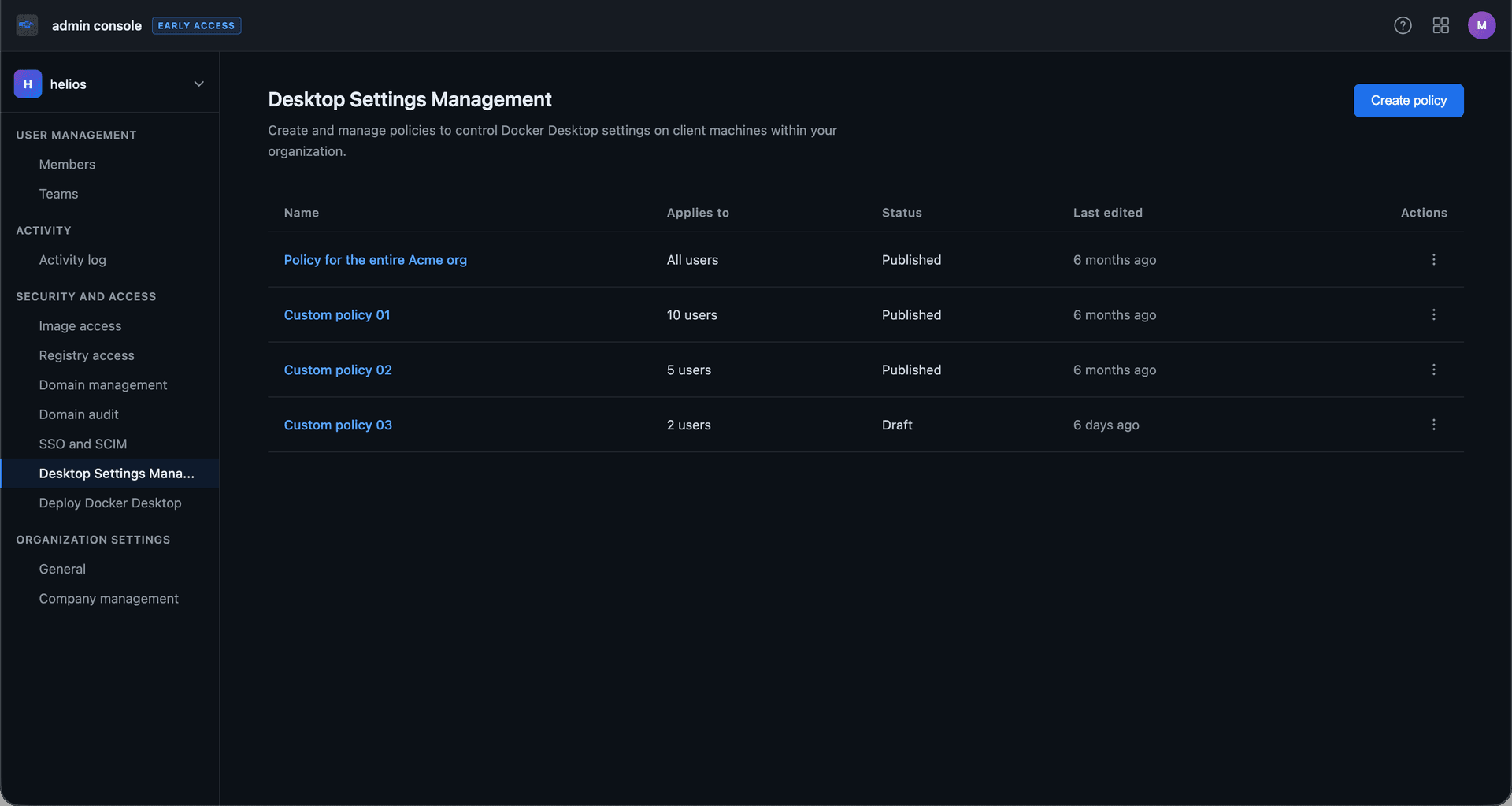
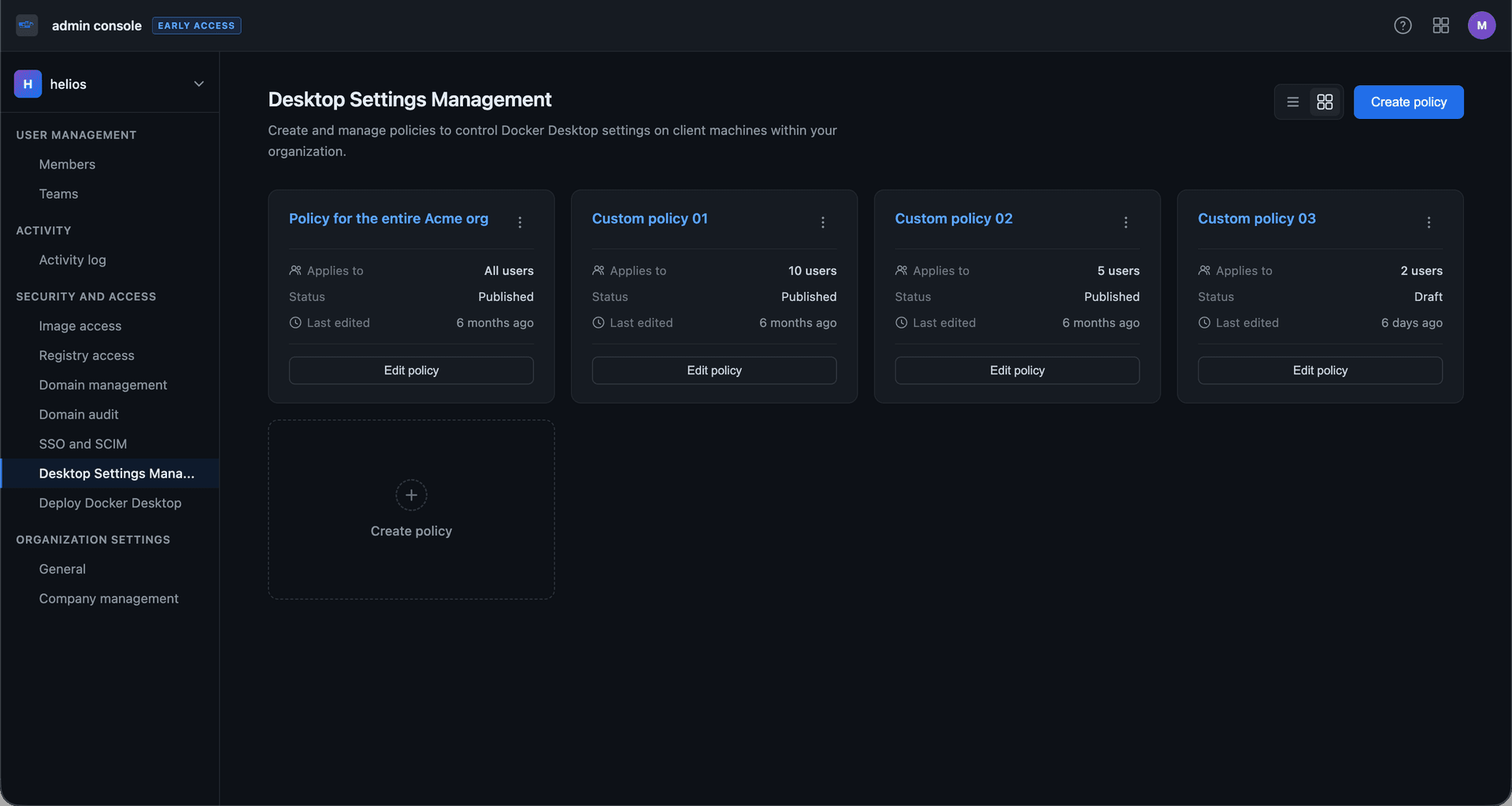
I prototyped each direction in Figma and ran them through internal feedback, Customer Zero testing, and conversations with enterprise customers in our Early Access Program.
Those rounds helped refine several parts of the experience:
• improved the distinction between global and user-specific policies
• refined empty states to make enforcement requirements more visible
• expanded the actions available in the read-only policy view
• added a discard state to warn users when unsaved changes would be lost; drafts were considered but remained out of scope for the MVP
• explored team-based policy assignment, though it also remained out of scope due to technical complexity
Compliance
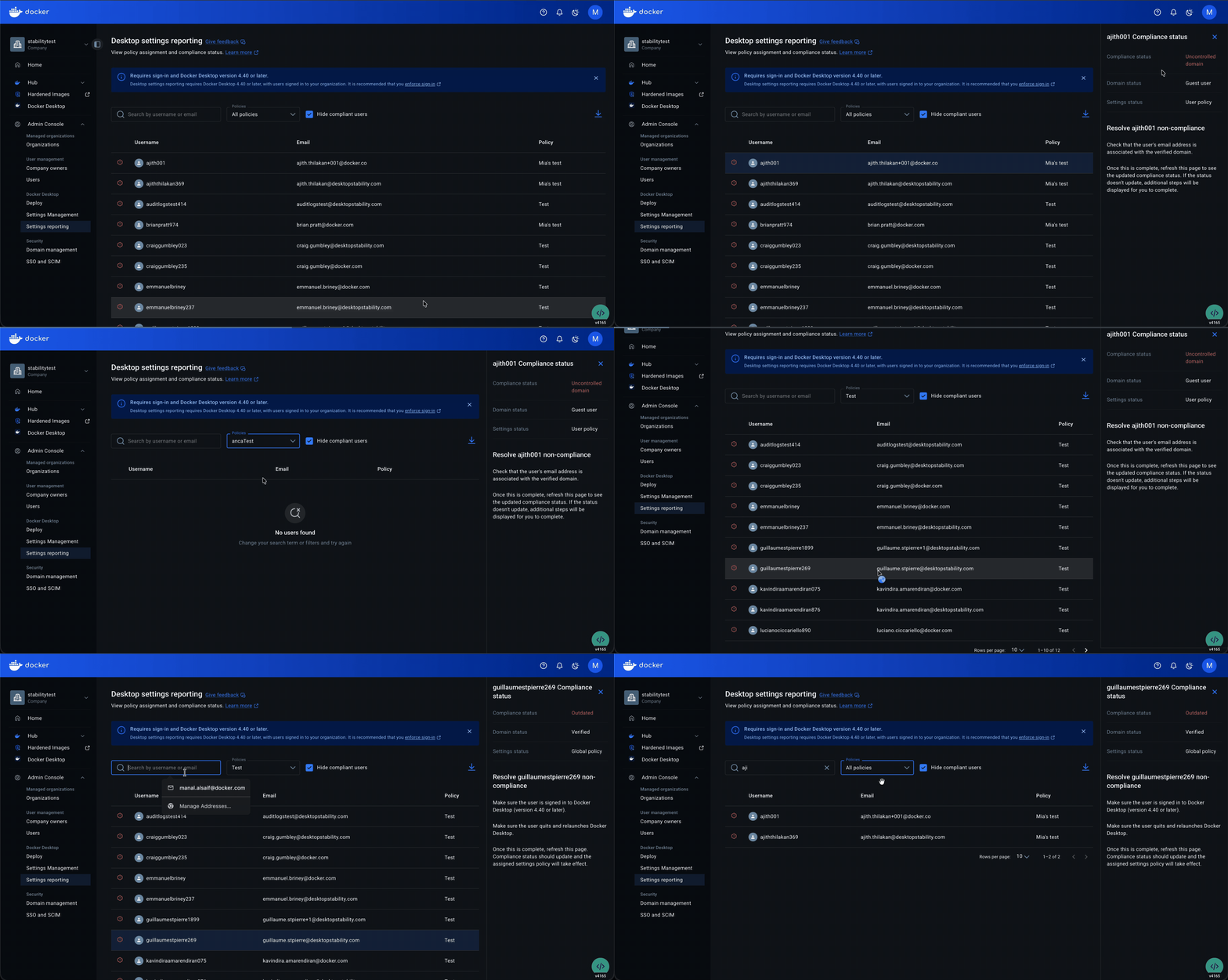
Compliance was more nuanced than it first appeared. It depended on several factors — including domain, desktop version, login state, and restart state — each with its own resolution path. The challenge was not just showing status, but making the source of non-compliance clear enough for admins to act on it. I worked closely with engineering to shape a reporting system that gave admins enough visibility to monitor and resolve non-compliance.
To address this in the experience, I considered two approaches:
Decentralized compliance reporting — surfaced within each policy’s read-only view, this approach tied compliance directly to an individual policy, but made it harder to understand overall status across users.
Centralized compliance management — a dedicated reporting view where admins could see all users and filter by assigned policy, compliance status, or user details.
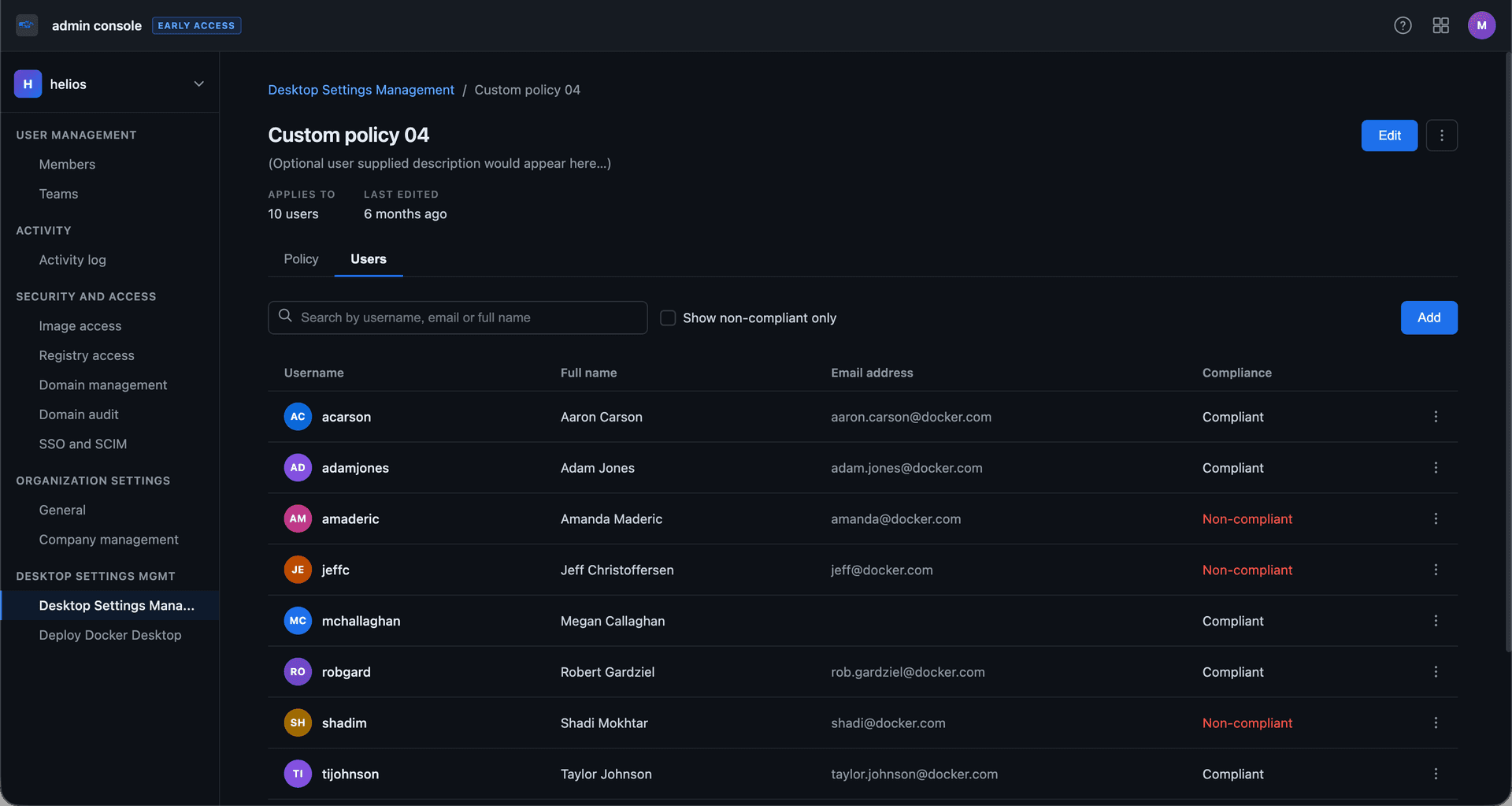
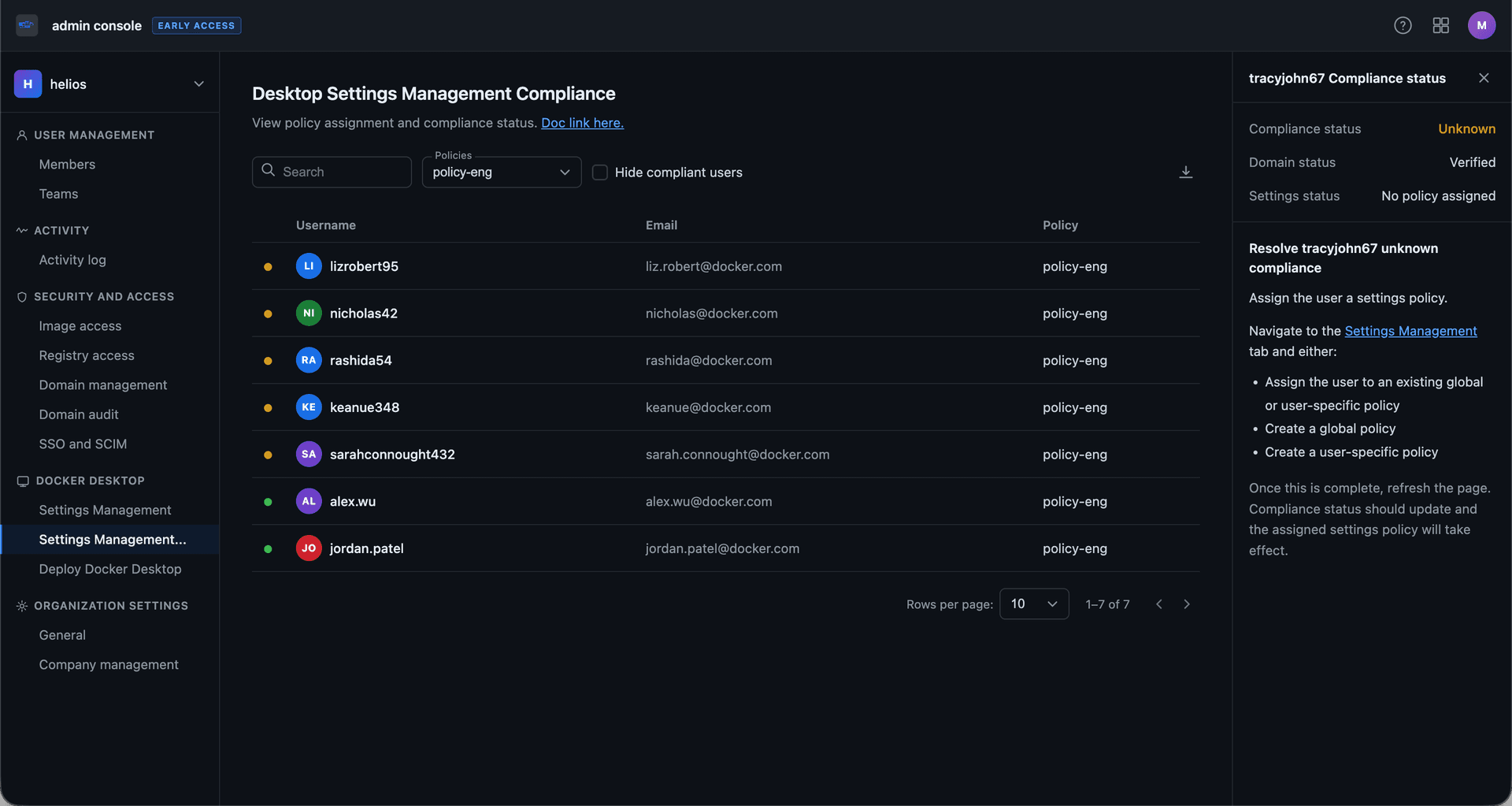
I advocated for the latter because it better matched the admin’s actual task and supported long-term scalability. For the initial release, we focused on making compliance issues legible and actionable through in-product guidance.
Solution
The result was Centralized Settings, a web-based system that lets IT admins create, manage, and enforce Docker Desktop policies across their organization.
It introduced three core parts:
Settings Management
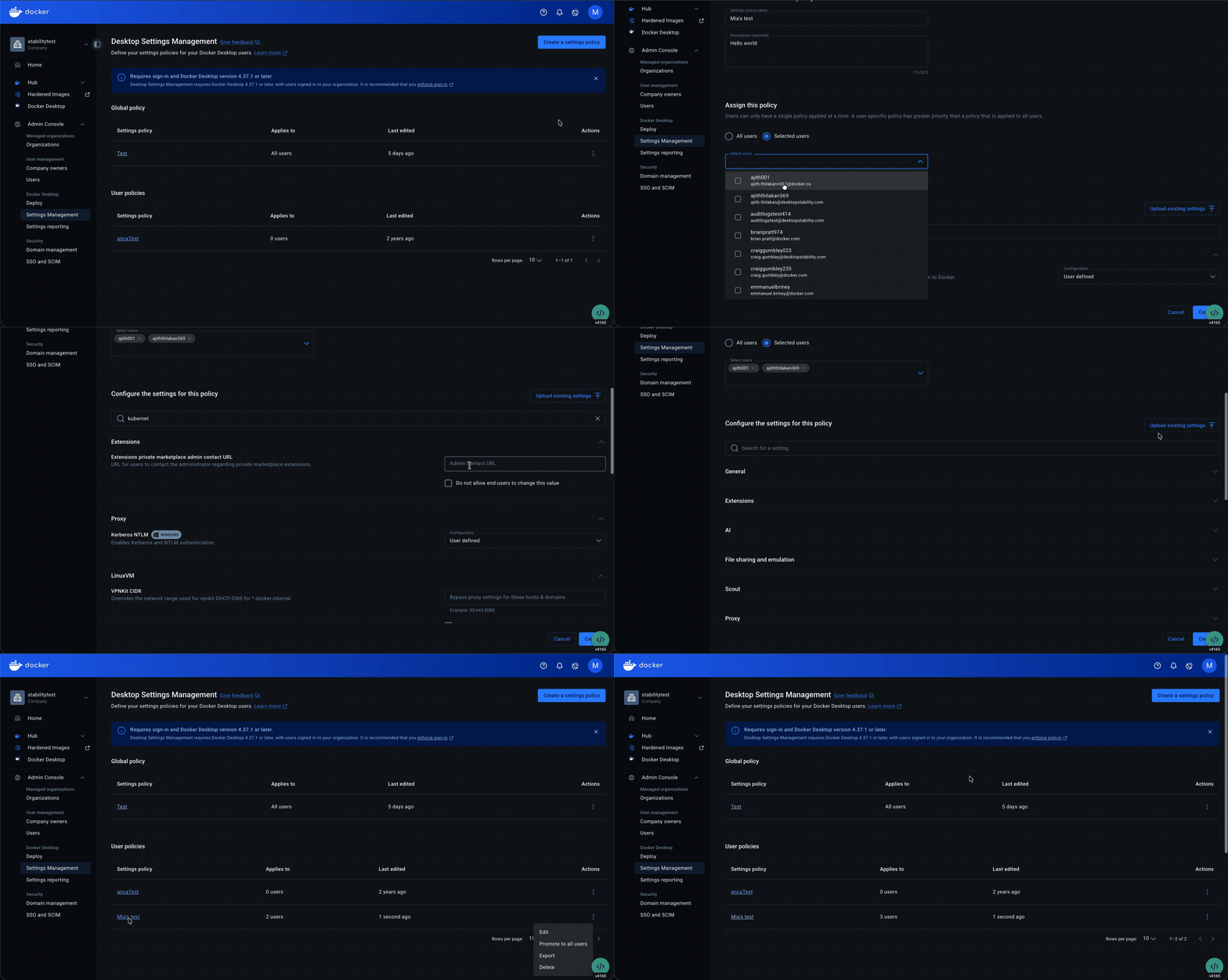
Admins can configure Docker Desktop through Admin Console, create global or user-specific policies, and choose which settings to enforce. To ease adoption, they can also import an existing admin-settings.json file into the new system.
Compliance Reporting
Admins can monitor and resolve policy compliance issues through a centralized reporting view, with filters for policy, compliance state, or user details.
Enforcement
The system introduced policy enforcement through Docker Desktop.
Extensibility
It also established an internal framework that allowed other teams to contribute settings over time.
Impact
Within months of launch, Centralized Settings was adopted by more than 400 organizations, despite limited go-to-market support. Adoption ranged from mid-size engineering teams to large enterprise rollouts, including Mastercard’s deployment to more than 10,000 developers.
The system also scaled beyond its initial release. So far, 8 teams have shipped 19 additional settings through the platform.
Reflection
The most valuable part of this work was not simplifying the interface, but helping shape a system admins could actually understand and manage.
It also highlighted a constraint I still think about: team-based policy assignment was clearly needed, but depended on technical foundations that were not in place yet.
Let's work together
Available for new opportunities. If you need a designer who moves fast and owns the work end-to-end, I'd like to hear what you're working on.