Compose GUI
Compose workflows started in the CLI, while Docker Desktop showed only the outcome. I designed the bridge to configuration understanding and Kubernetes testing.
Role and team
I led design end to end across CLI and Desktop GUI, taking the project from zero to launch. The team included one PM, a research partner for initial discovery, two engineers, and a copywriter.
Challenge
Developers ran multi-container applications entirely through the CLI. Docker Desktop had no Compose representation.
Without a GUI, much of the workflow happened outside the product. This limited data collection and visibility into how developers actually used Compose.
Inside Docker Desktop, users could see their running containers but had no way to understand the configurations behind them. For junior and intermediate developers, this made Compose particularly difficult to learn.
For developers ready to move beyond local development, there was no path from Compose to Kubernetes within the product.
Success metrics
Work to deliver
• A native Compose GUI in Docker Desktop, a widely requested feature
• CLI improvements to support flow between the two surfaces and promote Compose feature adoption
• Groundwork for future Compose and Kubernetes investments
Data to track
• Authenticated logins and account visibility
• Docker Desktop usage for Compose workflows
• Kubernetes usage within Docker Desktop
Research
The research happened in two phases. First, a quantitative survey of 33 Docker users explored Compose usage, pain points, and customization habits. 64% were already using Kubernetes (86% at larger companies), confirming demand for Kubernetes tooling within Docker Desktop. Separately, internal data showed only 38% of Compose users were authenticated, underscoring the visibility gap.
To go deeper into the workflows and collaboration patterns the survey surfaced, I partnered with a researcher to conduct qualitative interviews with 10 developers of varying skill levels. The interviews further validated the Kubernetes demand and surfaced three findings that shaped the design direction:
• Advanced developers were the bottleneck. They wrote configs, distributed them across teams, maintained them, and fielded every modification request.
• Junior and mid-level developers relied on advanced developers or online templates, then tried to modify configs without understanding Compose concepts. The core issue was comprehension of Compose itself.
• Compose was not the end of the workflow. Developers wanted to move into production-like testing and Kubernetes as a next step.
Competitor tools were already offering both Compose-style interfaces and Kubernetes support, creating a real churn risk. Evaluating those tools alongside developer forum discussions further informed the scope of the MVP. The synthesized findings were presented to stakeholder teams to integrate the work into our roadmap.
The team aligned on parts of the system to support:
• Docker Desktop would house the Compose config GUI.
• The CLI served two purposes: a path to running containers and the new GUI, and a place to promote Compose features like Watch and detach mode.
Iteration
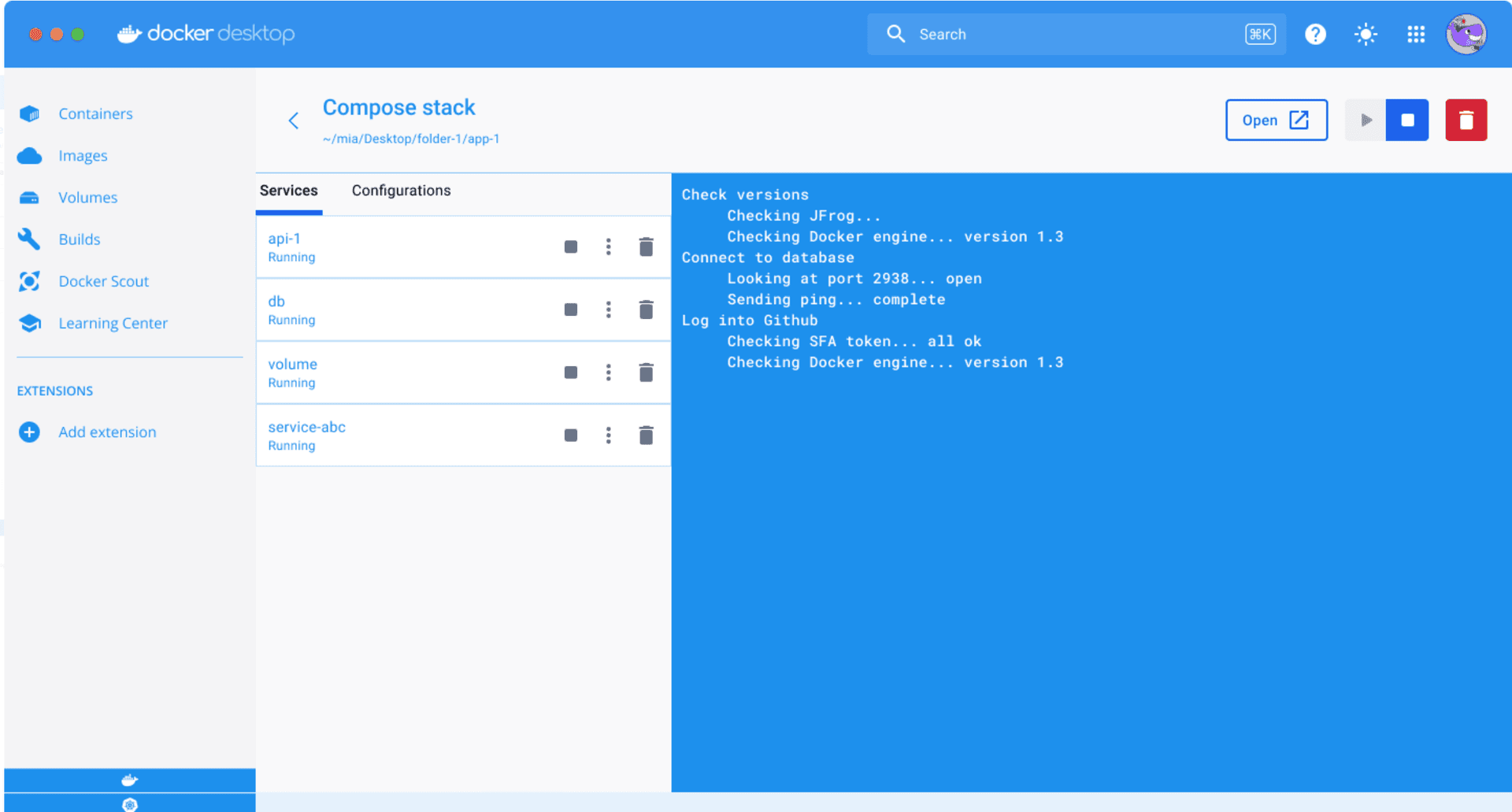
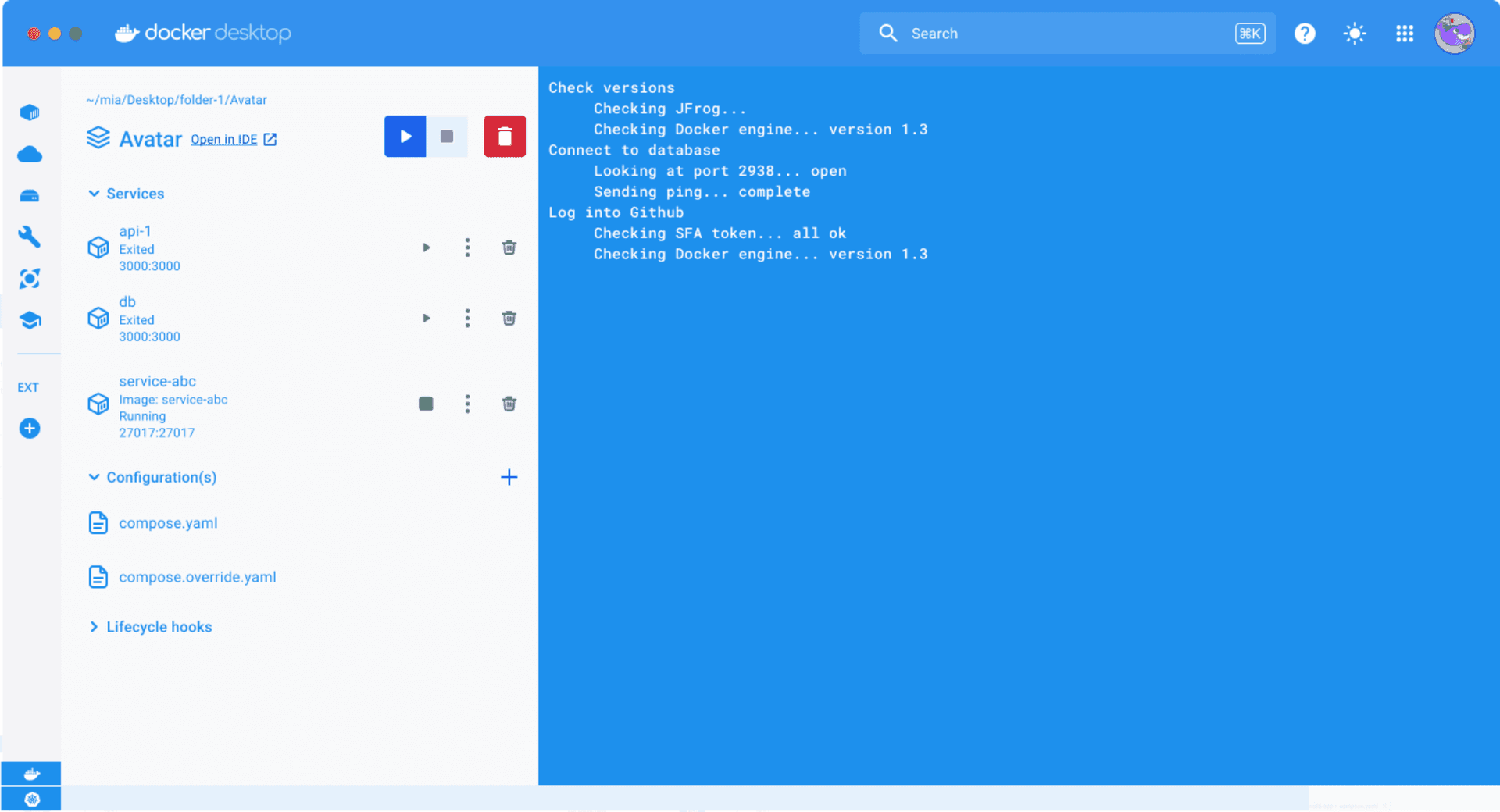
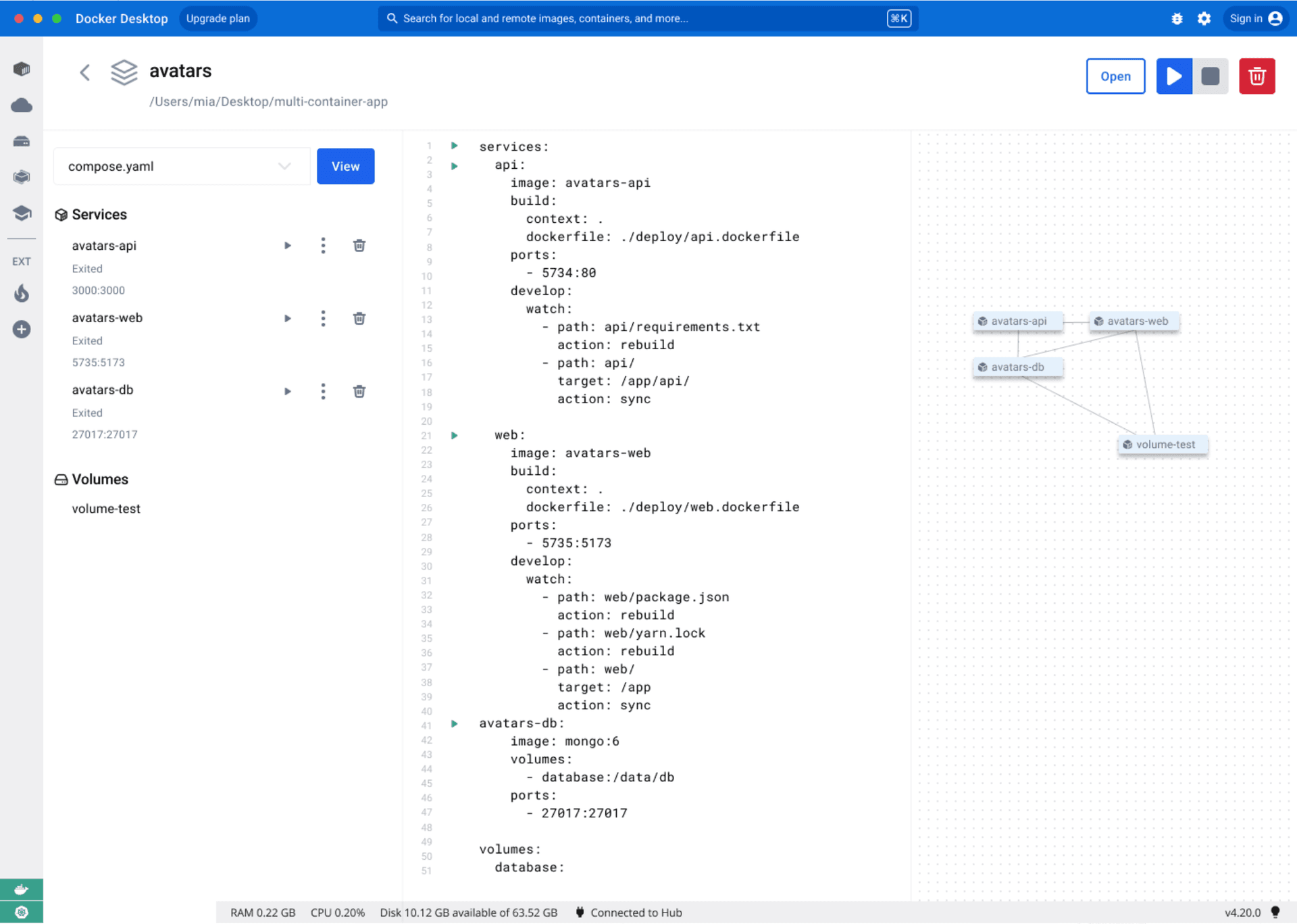
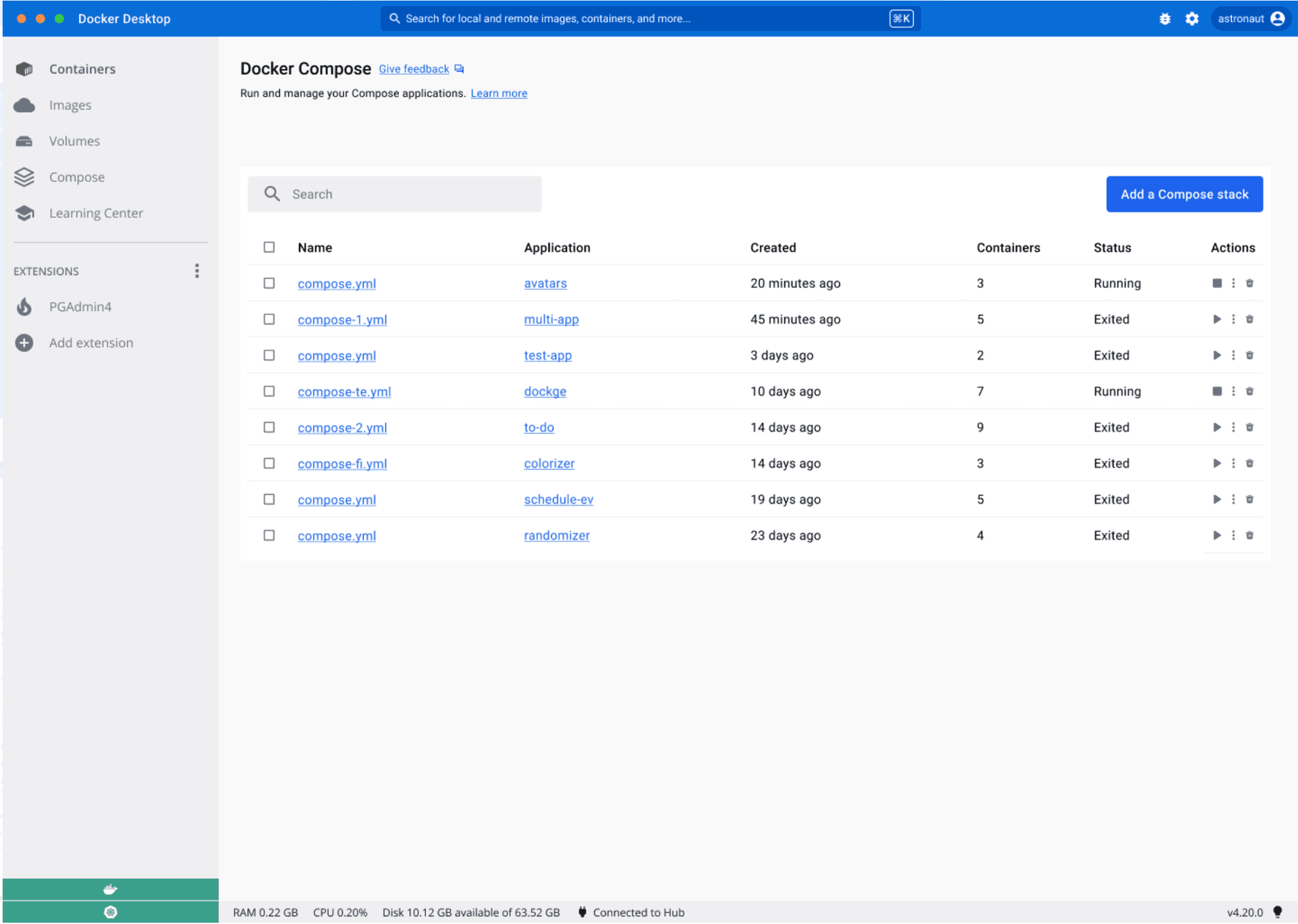
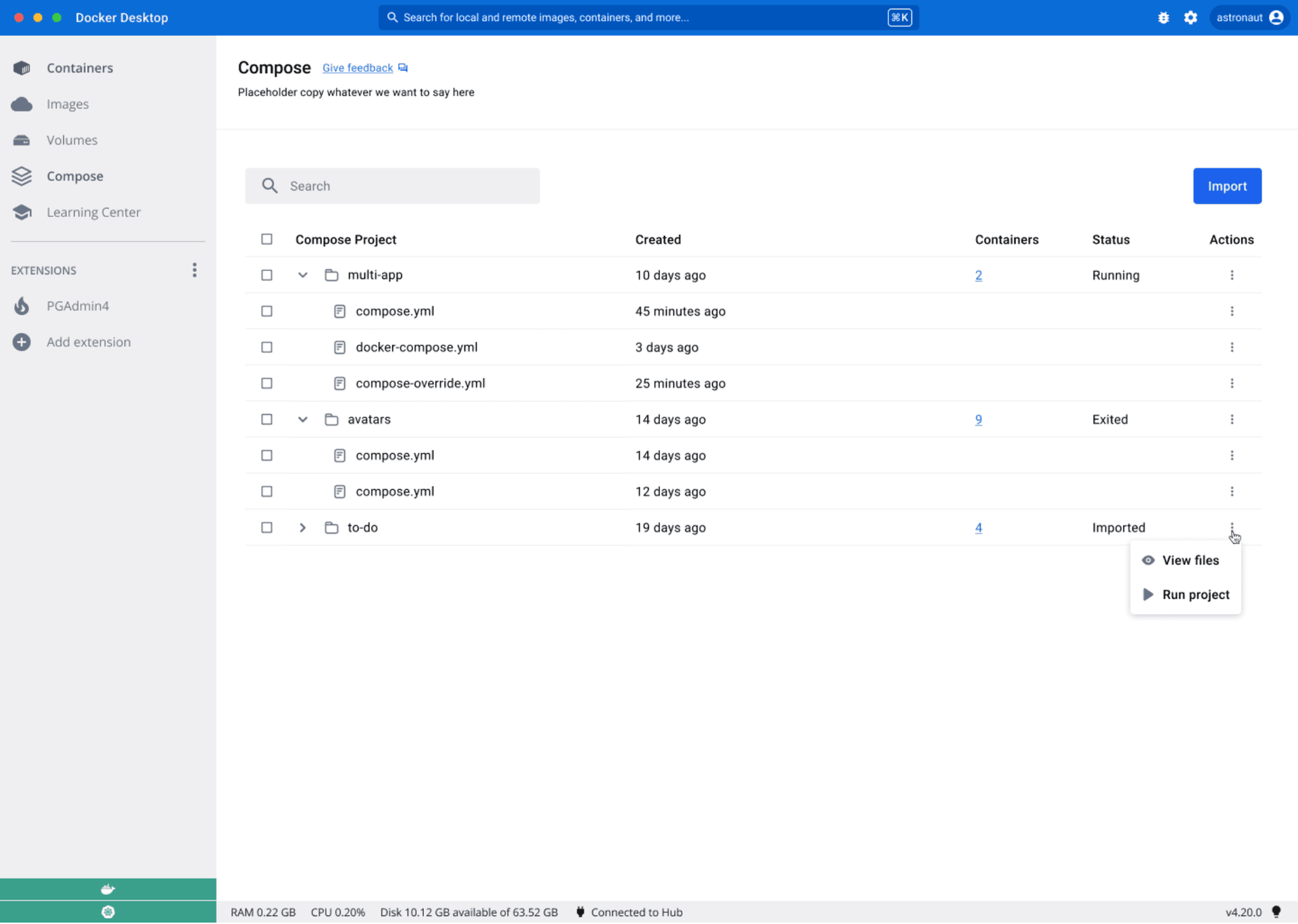
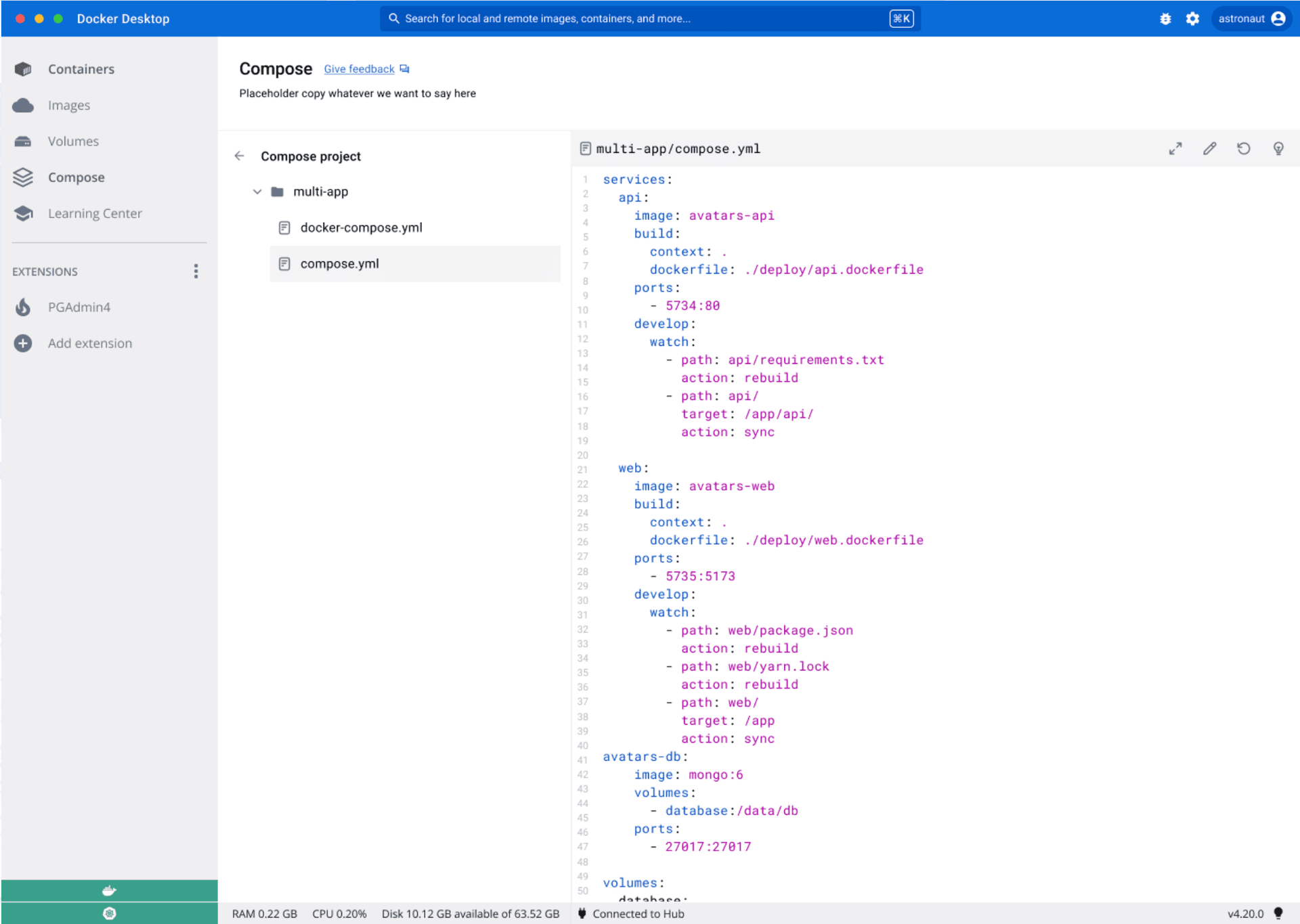
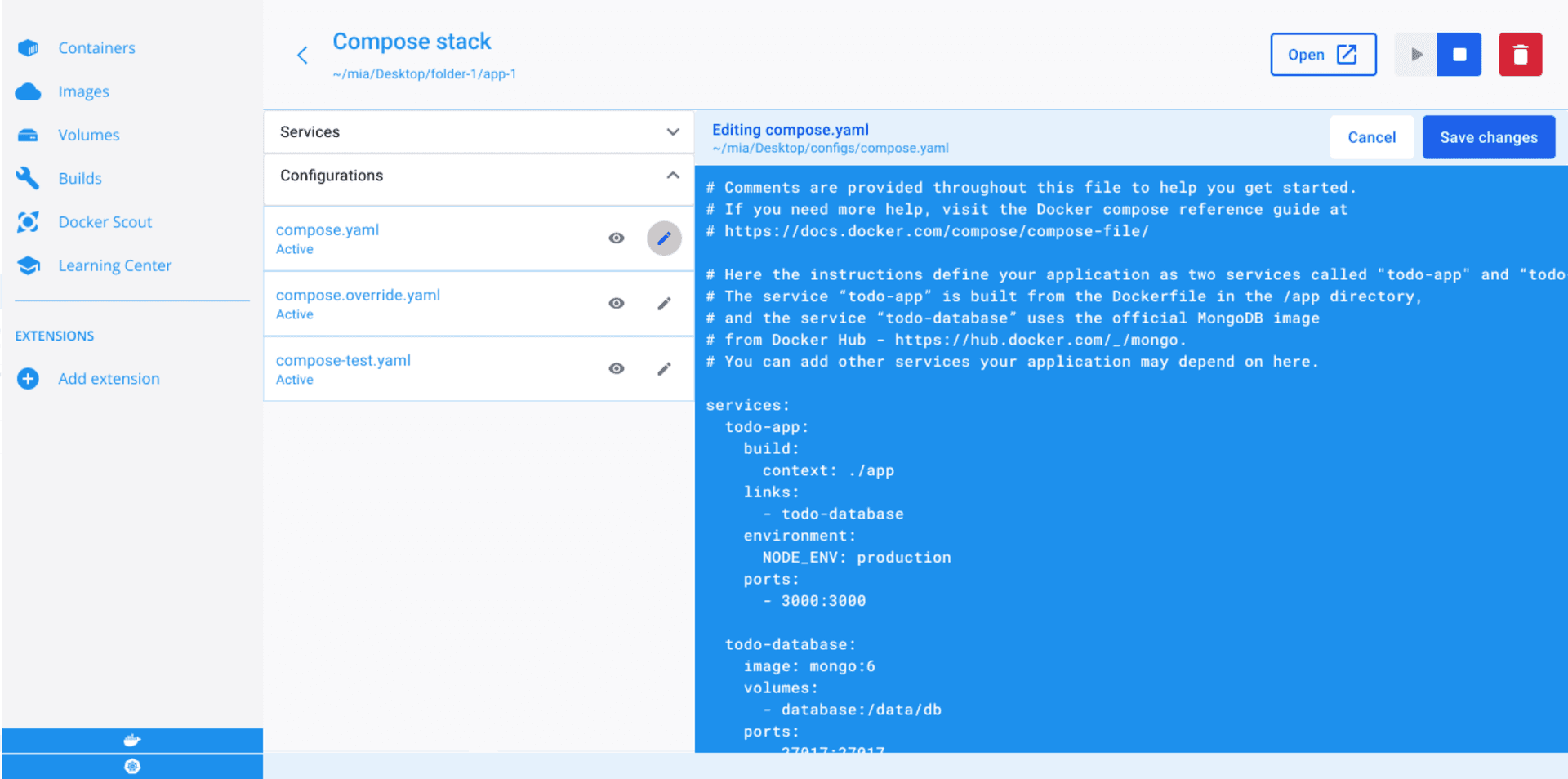
I tested several prototypes: node-based service graphs, form-driven editors, and code-viewer layouts. The more visual directions looked compelling in isolation, but developers were already working in YAML. Iterations that leveraged existing patterns, like file-tree navigation and code display, were easier to orient to and faster to validate with users. The product needed to work with existing editing workflows, not replace them.
That narrowed the MVP to a read-only config viewer paired with contextual learning, and freed capacity for the Compose-to-Kubernetes path the research had validated.
Key decisions
View-only, not an editor. The first release should focus on understanding and visibility. We cut editing from the MVP deliberately. Shipping view-only first let us validate whether developers would use a Compose GUI at all, without the risk of a half-built editor.
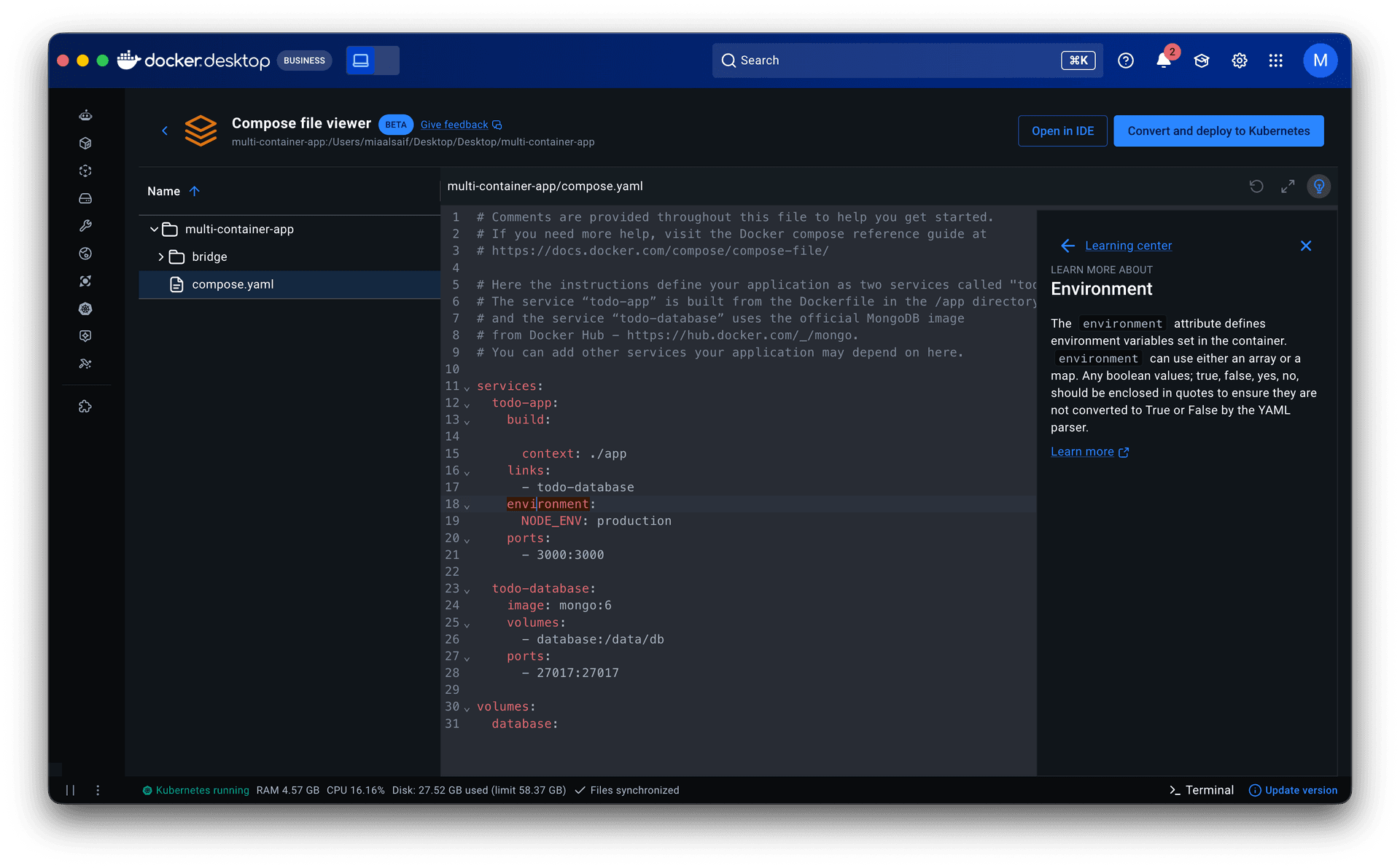
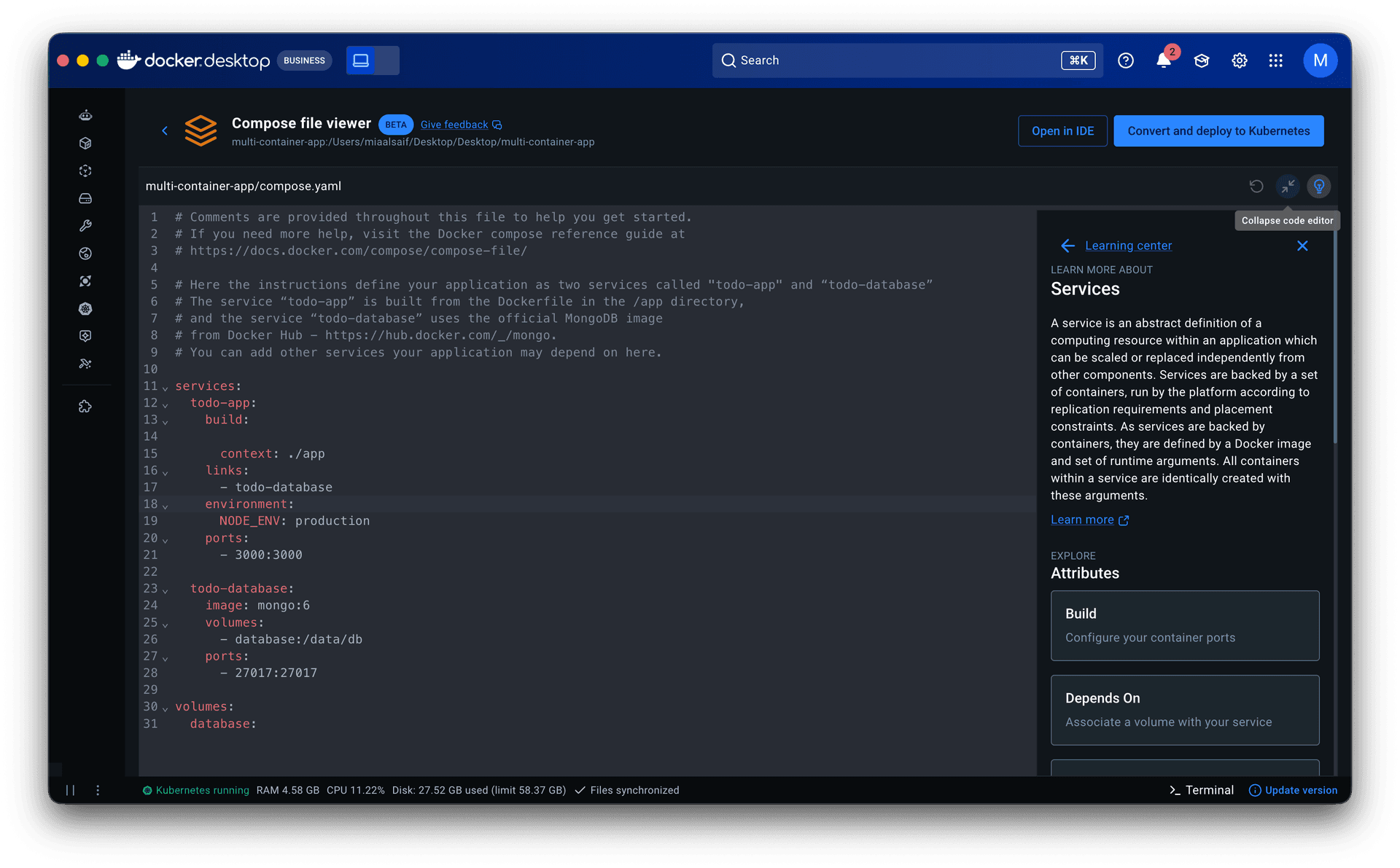
A contextual learning center. Docker Desktop had a learning center, but it only surfaced general documentation. I redesigned it to be contextual: developers step through their configuration term by term, building understanding while staying anchored in the same interface where their containers are running. I proposed this as a reusable sidebar component, which led to discussions about standardizing iconography, responsiveness, and flexibility across Docker Desktop. I collaborated with our copywriter to produce micro-documentation for the learning center.
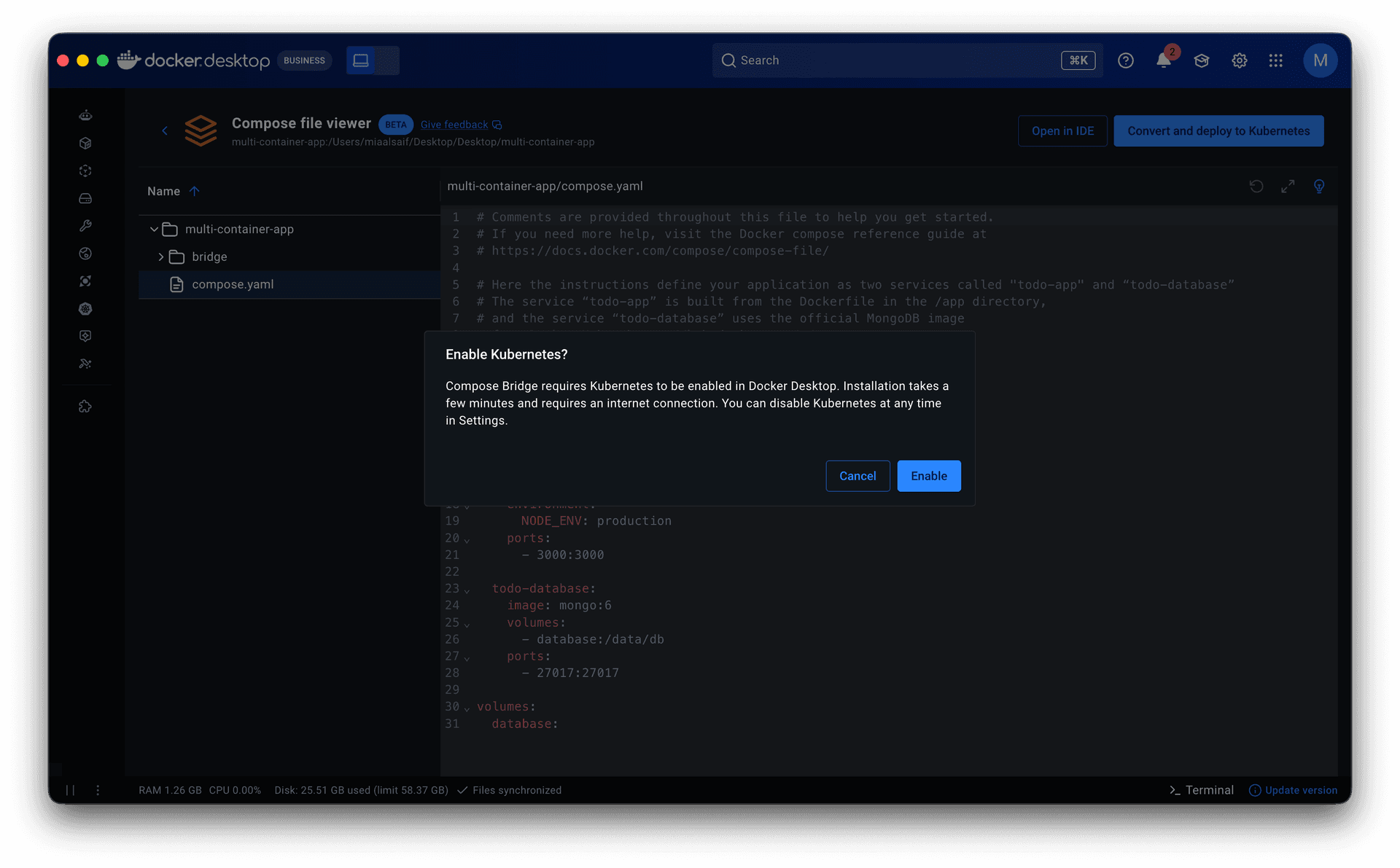
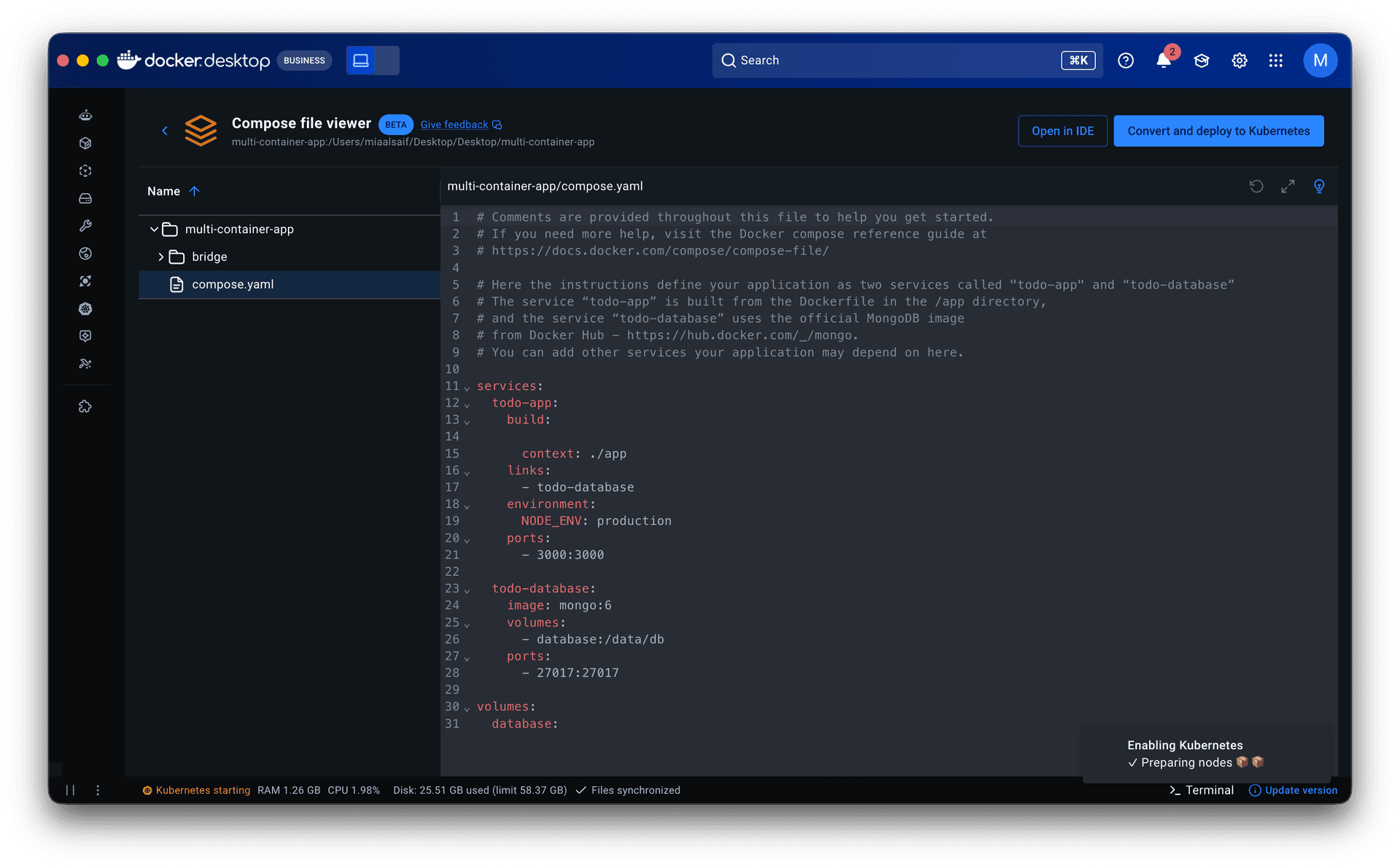
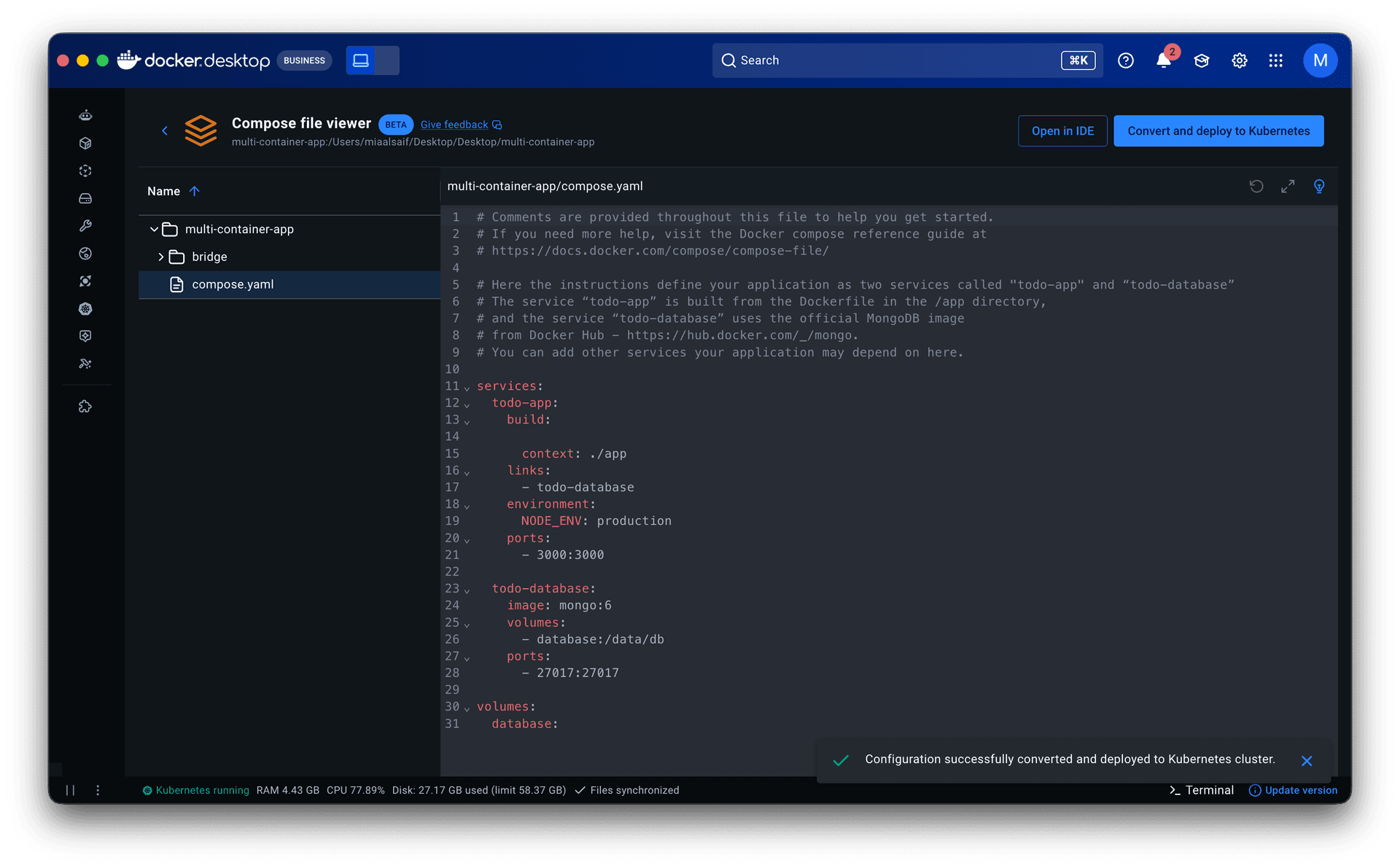
Compose Bridge: keeping the workflow in one place. The question was whether to introduce a new top-level tab for Compose or Kubernetes. I pushed to keep everything within Containers. Developers were already there: running containers are the direct result of configurations. Compose Bridge lives in that same context, so the path from local development to production-like Kubernetes testing stays in one place.
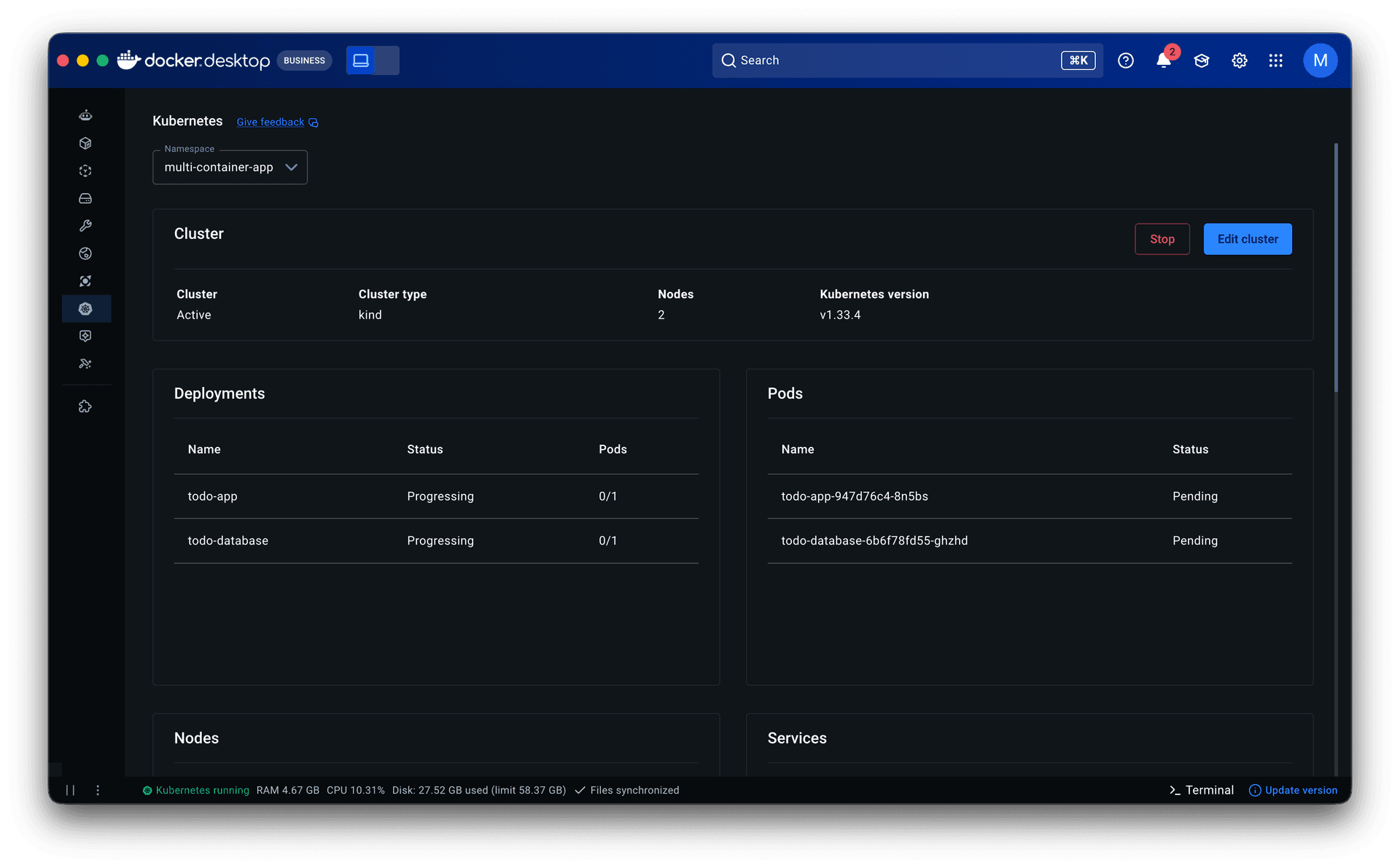
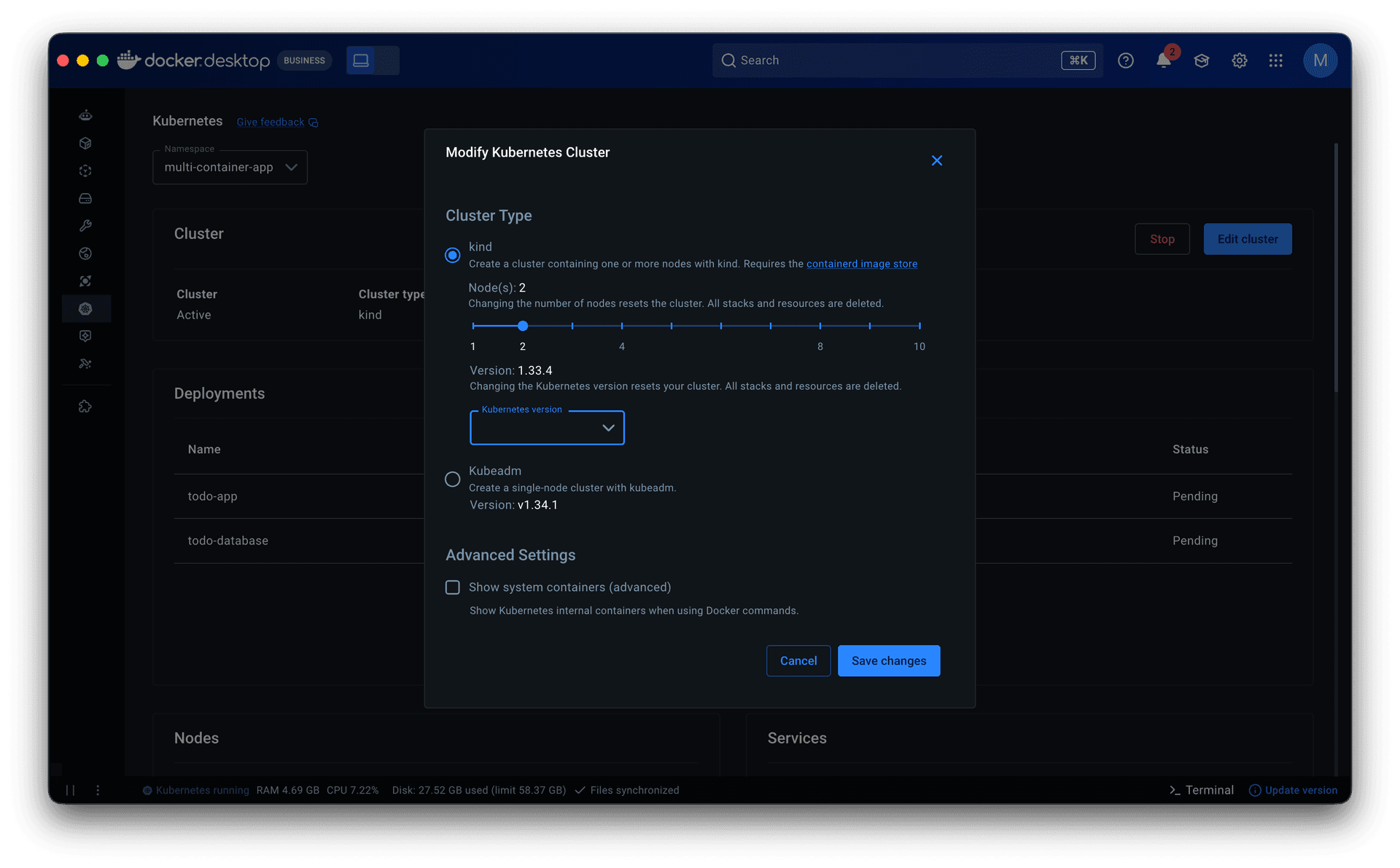
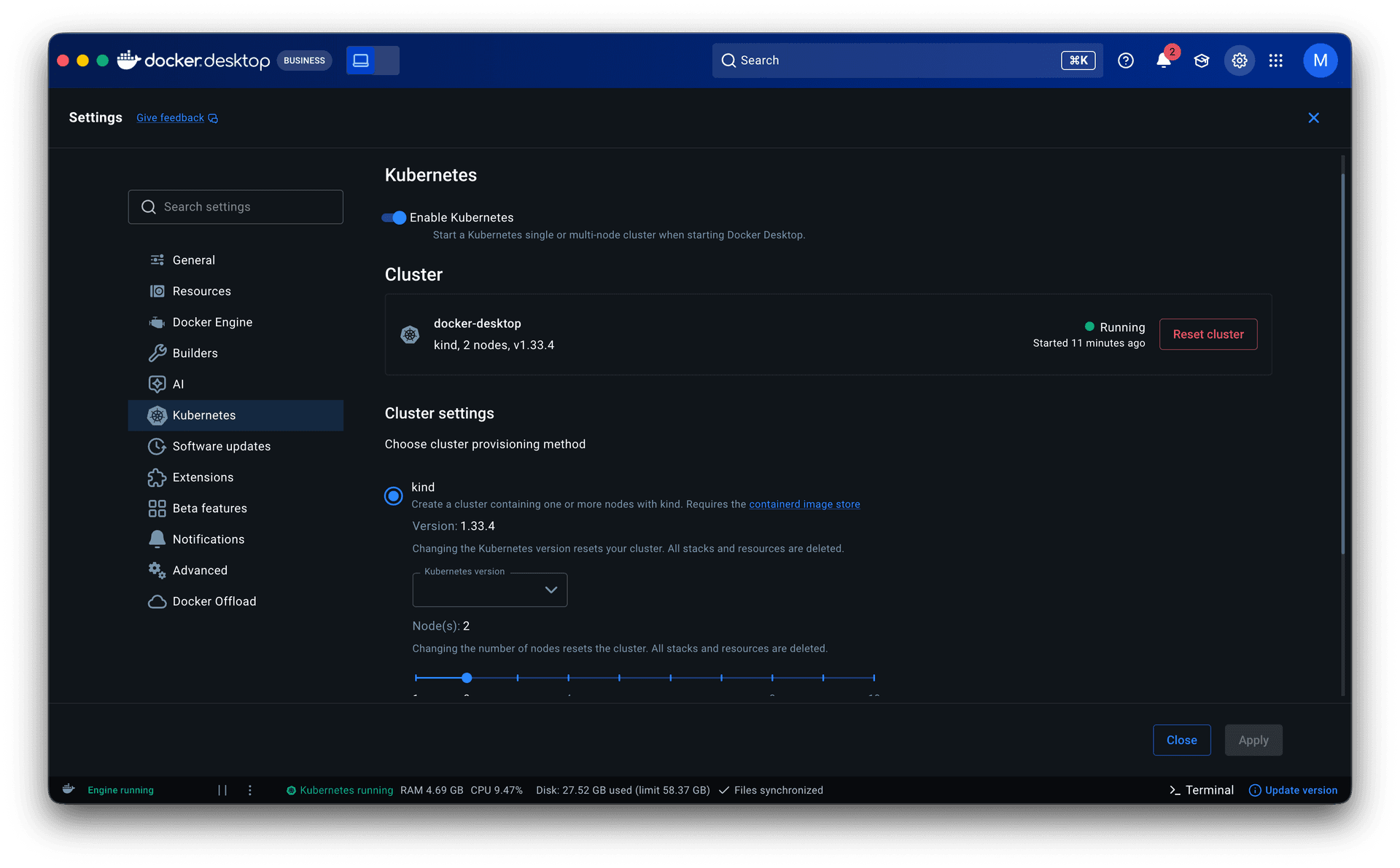
Multi-node Kubernetes. Docker Desktop only supported single-node Kubernetes clusters, which was not enough to simulate real infrastructure. As the Compose Bridge work evolved, I worked with engineering to introduce multi-node support and designed the configuration experience: a slider to set the number of nodes and a one-click deploy.
Solution
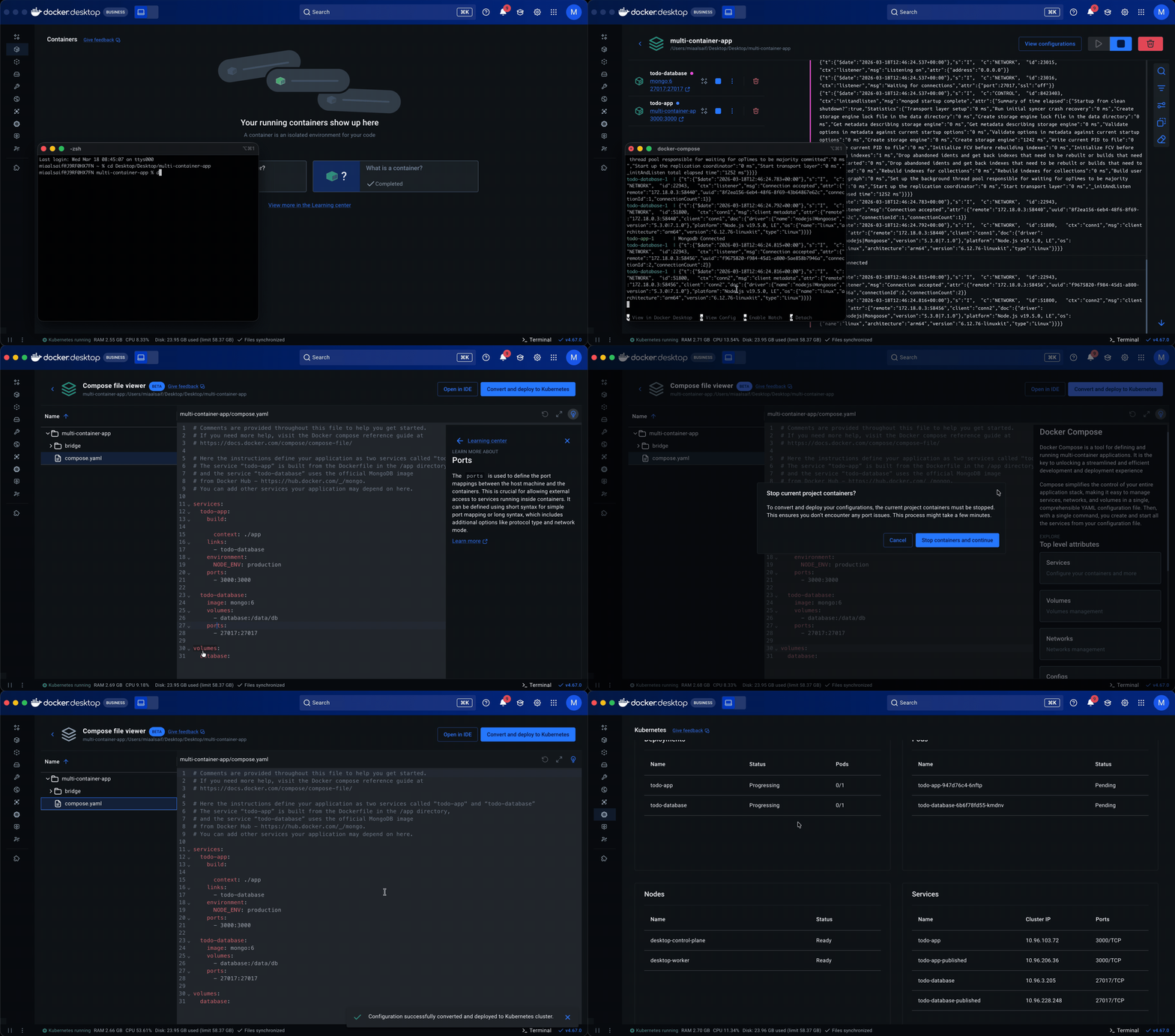
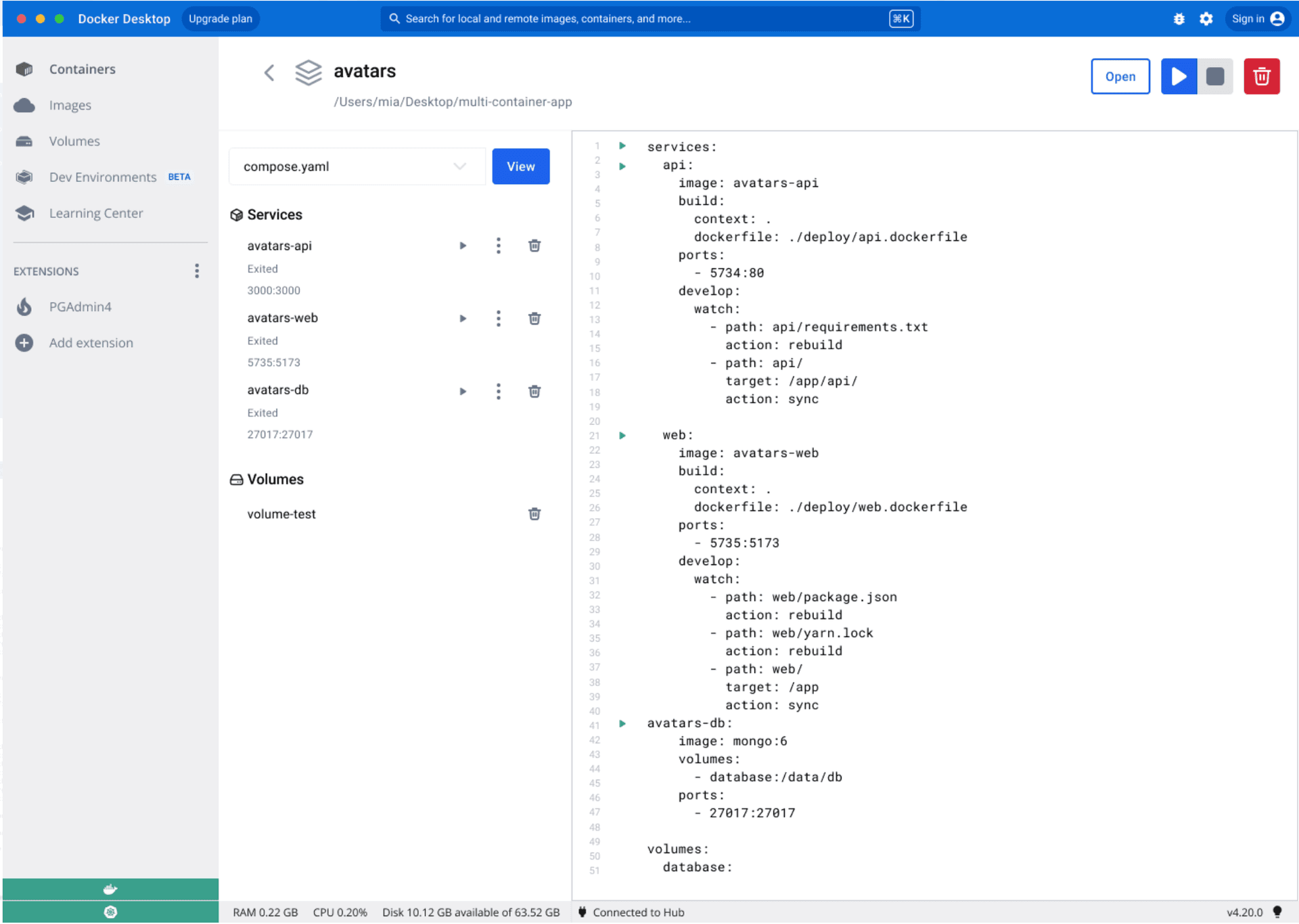
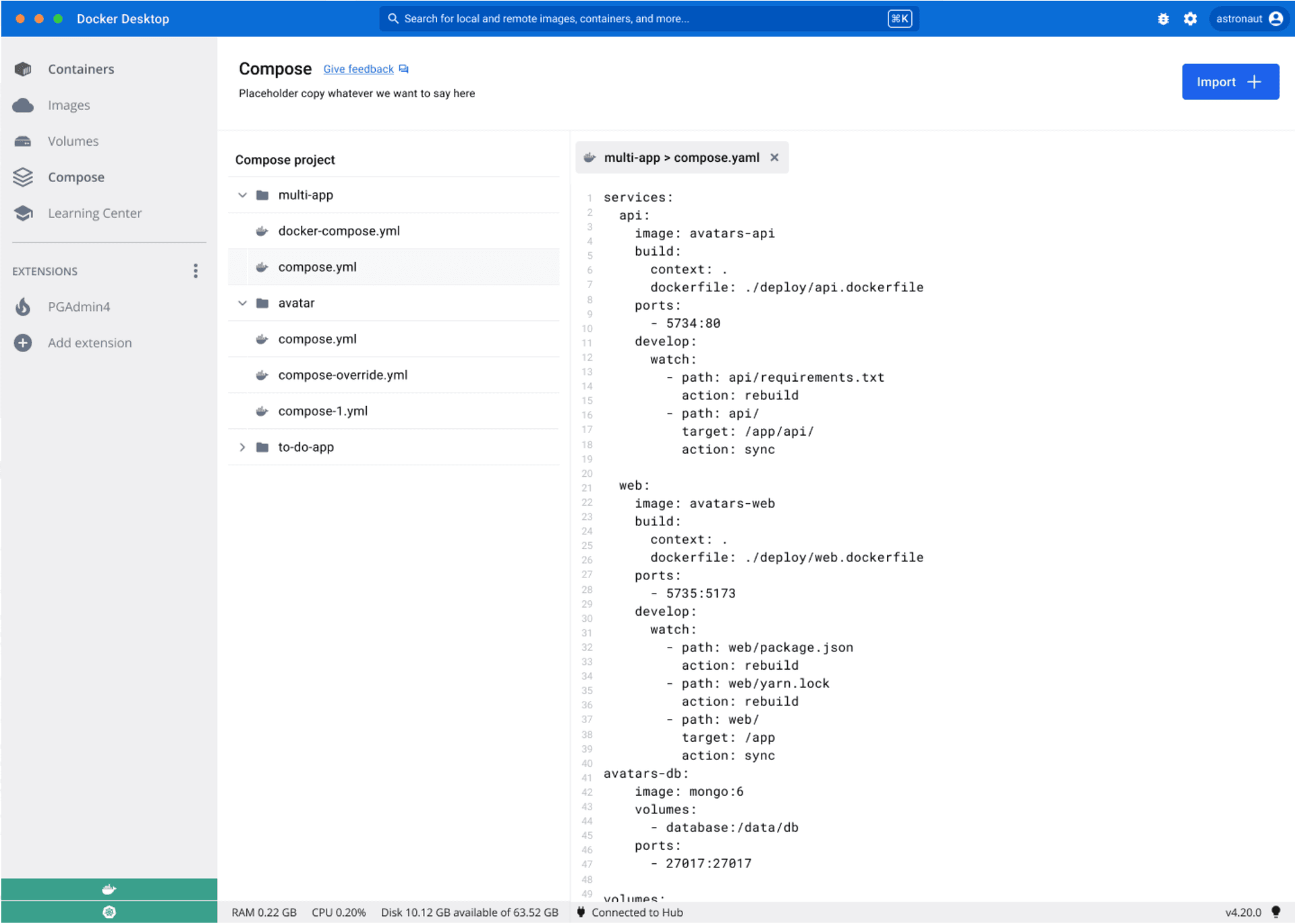
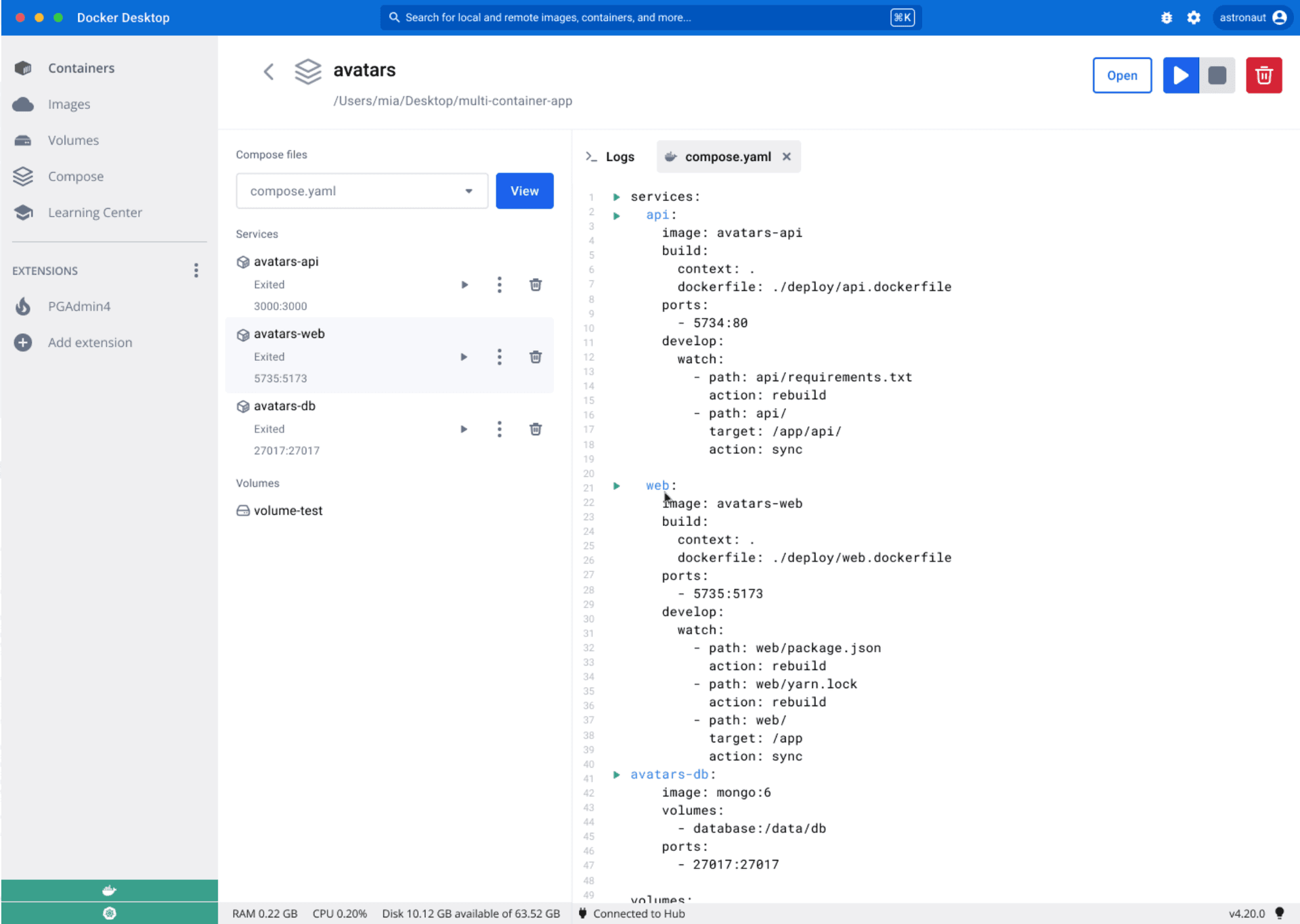
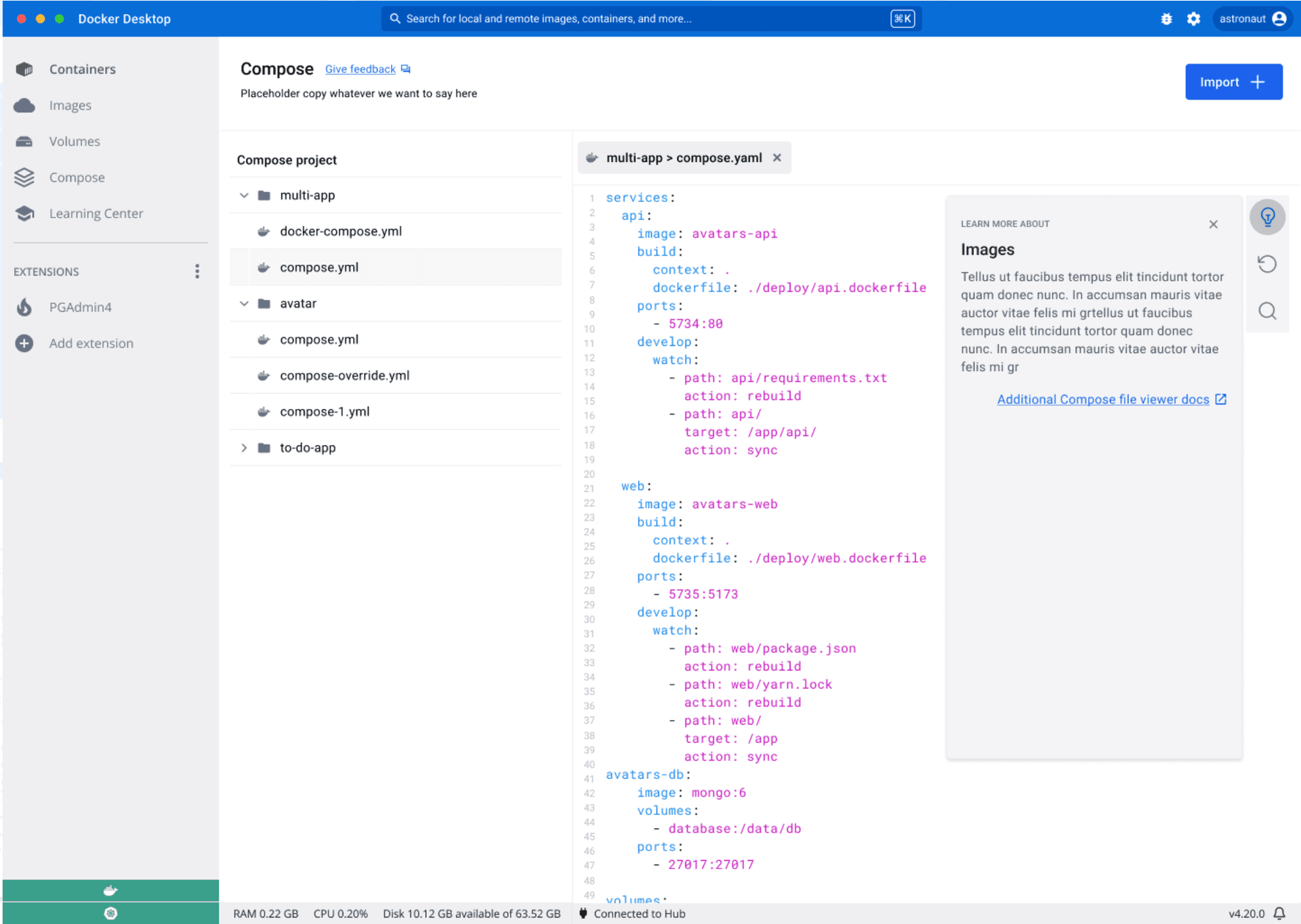
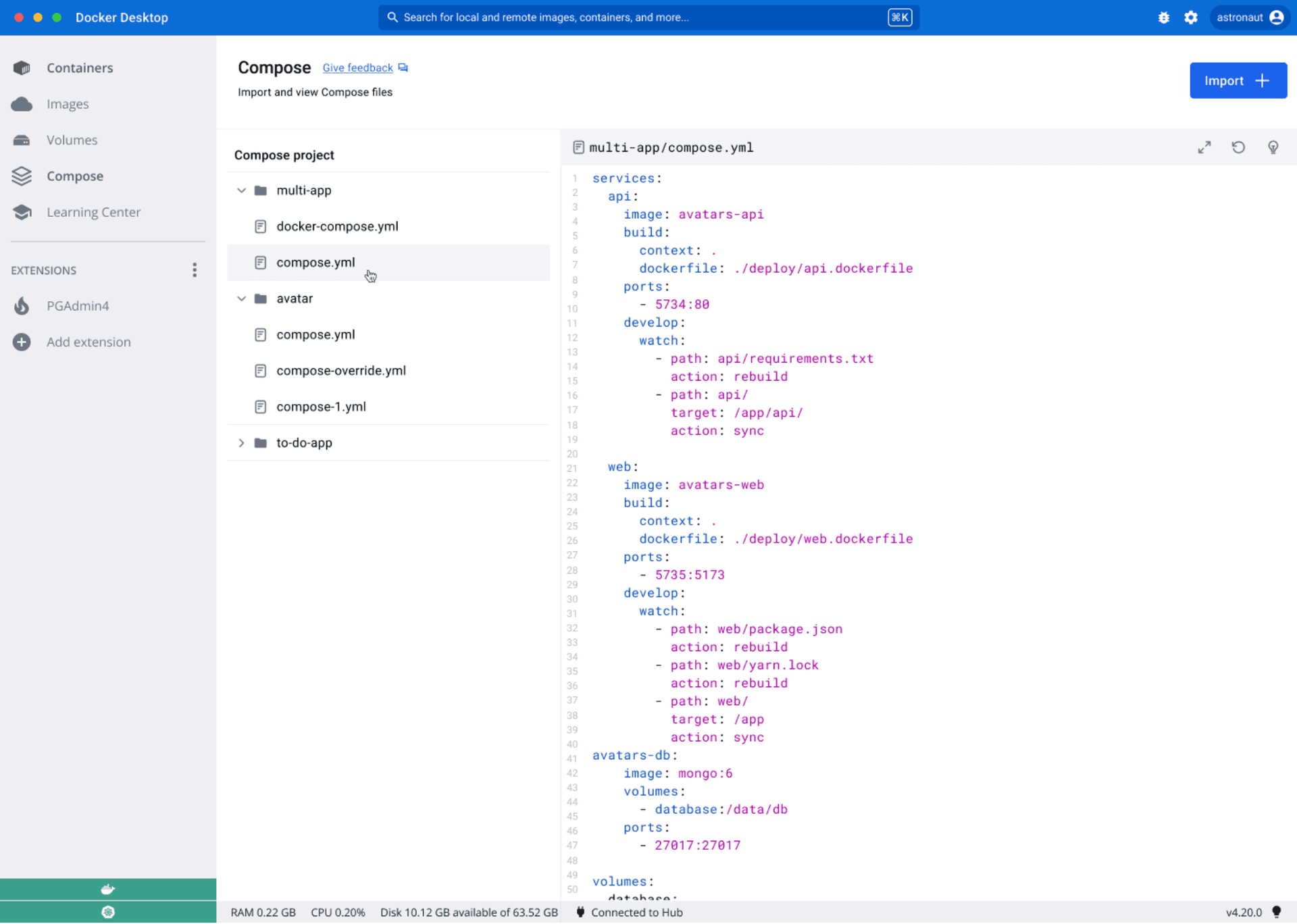
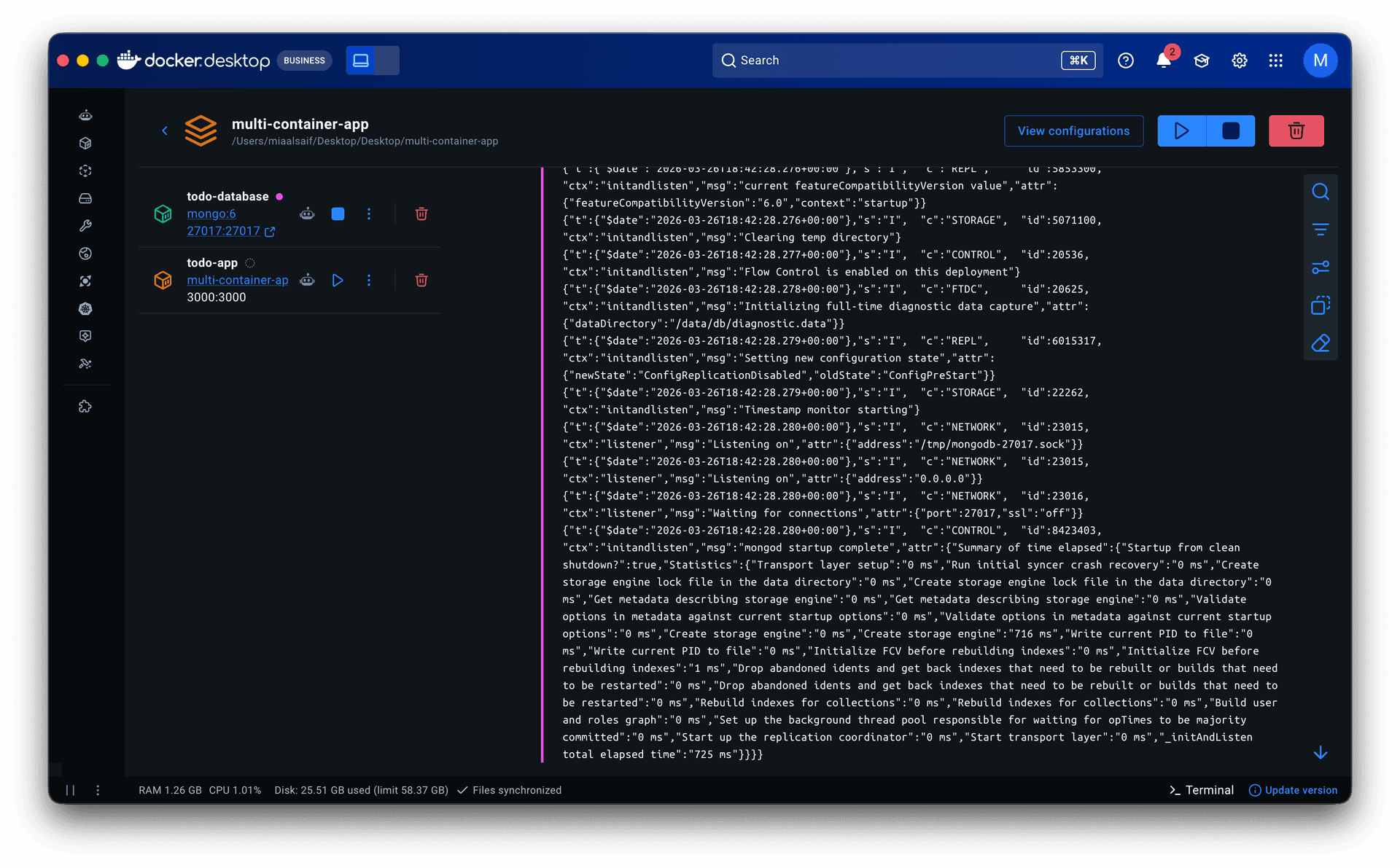
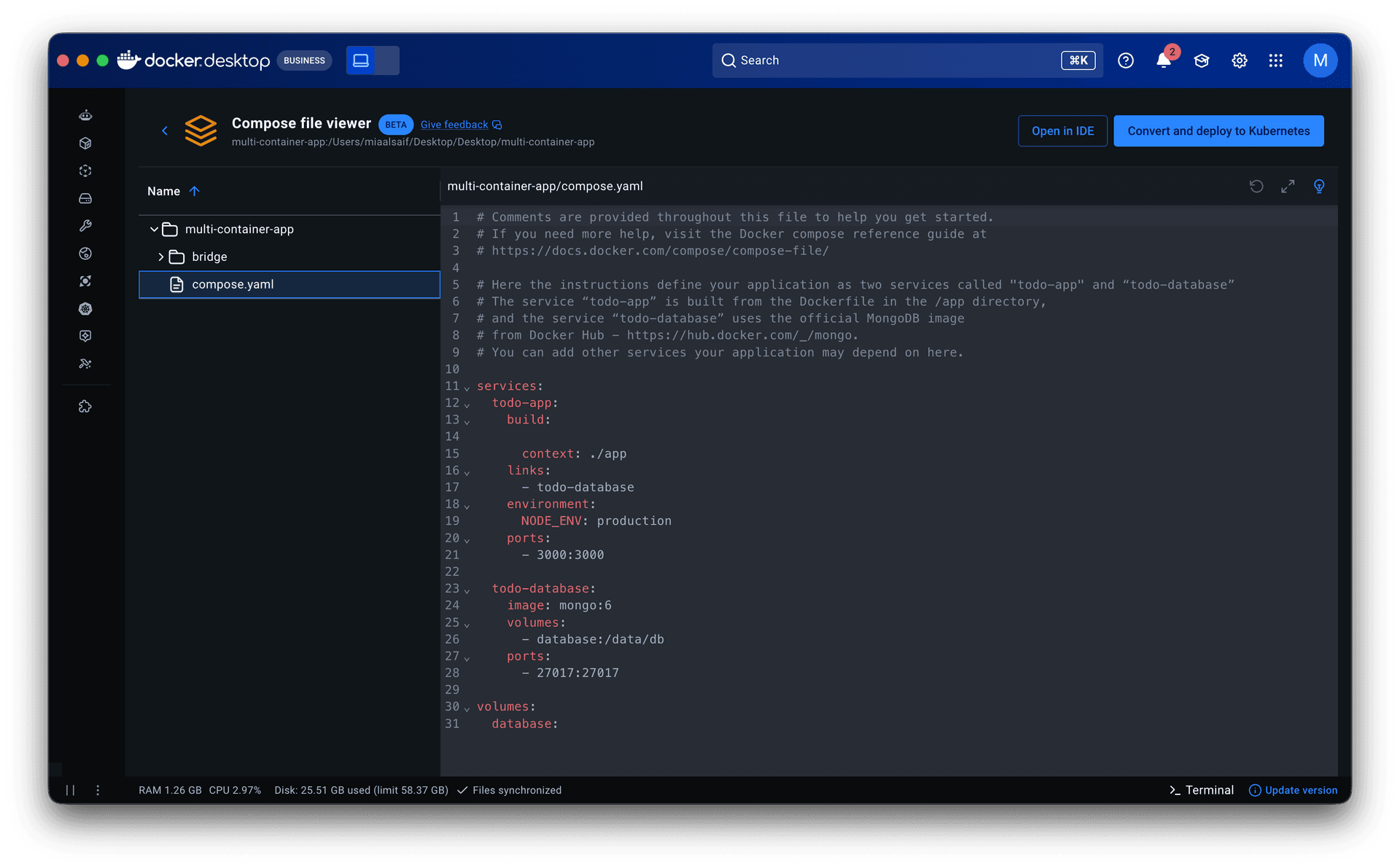
The configuration viewer sits inside Docker Desktop’s Containers tab. Selecting a Compose stack opens the running containers and logs, with access to the project’s configuration files. A file-tree panel on the left mirrors the structure of the Compose project; selecting a file opens a read-only code view on the right.
Highlighted terms in the code link to the contextual learning center in a sidebar, where developers can work through their configuration concept by concept. An “Open in IDE” button hands off to the developer’s preferred editor when they need to make changes. A refresh button reflects any external edits immediately.
From the CLI, every docker compose up surfaces an interactive menu with options to enable Watch, configure detach mode, or open the GUI directly.
Compose Bridge converts configurations into Kubernetes manifests within the same Containers view. Paired with multi-node Kubernetes support, developers go from local Compose configuration to production-like testing in one place.
Impact
• The configuration viewer reaches over 17k daily active users.
• Authenticated logins through the Compose GUI increased 6%.
• The CLI menu surfaces on every docker compose up reaching millions of developers and driving adoption of features like Watch and Debug.
• The contextual learning center became a reusable pattern adopted across multiple surfaces in Docker Desktop.
• Compose Bridge and multi-node Kubernetes drove further investment in Kubernetes capabilities by other teams.
Reflection
Cutting editing from the MVP felt like a compromise, but it created room to pursue the fuller journey from comprehension to deployment.
The project showed that some workflow improvements depend on foundations beyond the interface itself. Connecting Compose to Kubernetes required new infrastructure, not just new screens. The design work was as much about identifying what needed to exist underneath as it was about shaping what developers would see.
If I were to revisit this work:
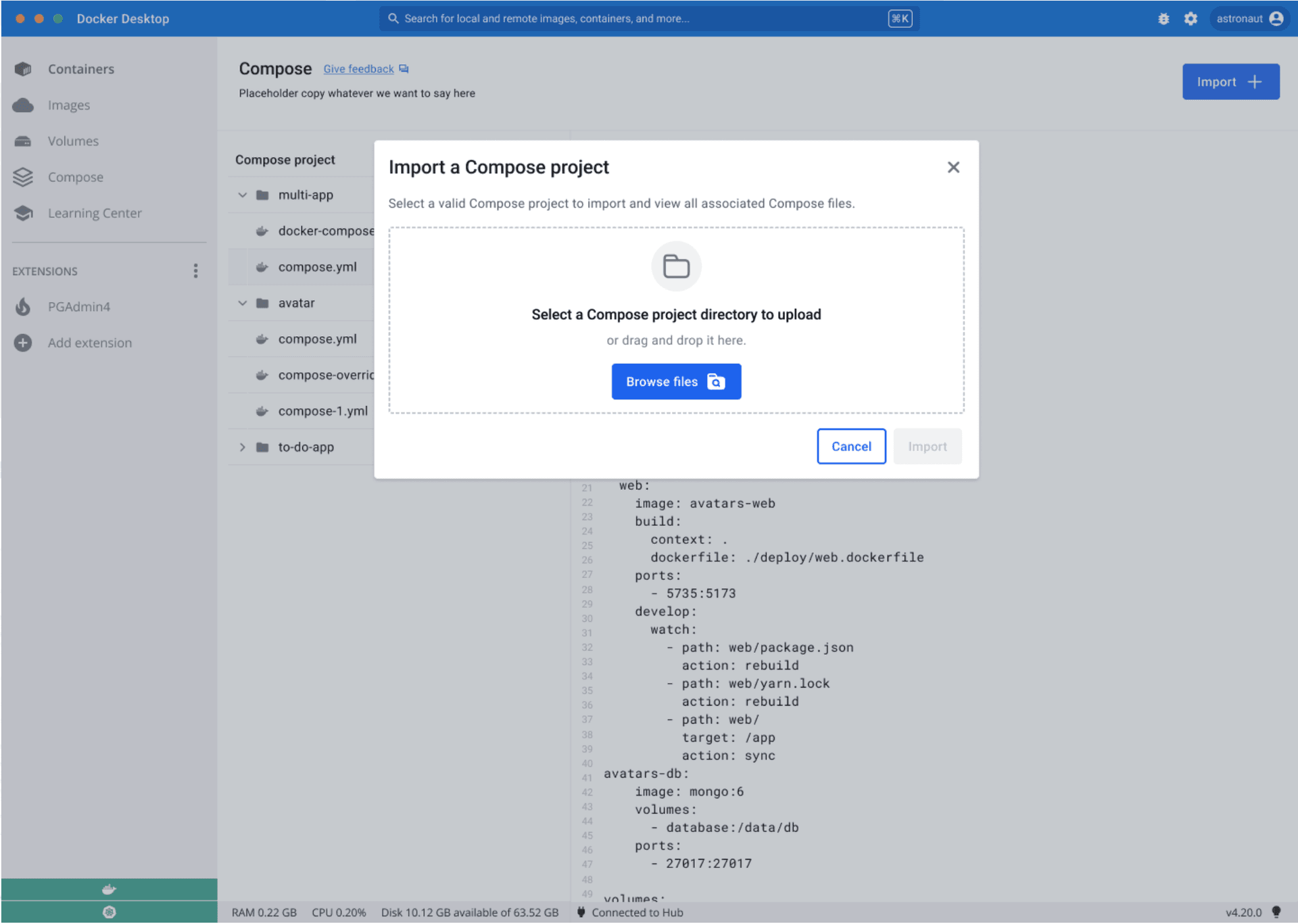
• Drag-and-drop Compose files. Let developers drop a config into Docker Desktop and spin up containers through the GUI without touching the CLI.
• Use Ask Gordon, Docker Desktop’s AI agent, to help developers generate Compose configurations from scratch, lowering the entry point from comprehension to creation.
Let's work together
Available for new opportunities. If you need a designer who moves fast and owns the work end-to-end, I'd like to hear what you're working on.